Is Your Surge Protector Expired? 4 Warning Signs for 2026 Gear
I’ll never forget the day I experienced a sudden power surge that nearly fried my expensive audio equipment. It was a wake-up call. I had been ignoring the age of my surge protector for too long, assuming it would last forever. That lightbulb moment made me realize how often we take these critical safety devices for granted—until they’re too late. Are you confident your surge protector is still doing its job, or could it be hiding signs of aging and danger?
Why Your Surge Protector’s Condition Could Save Your Gear—and Your Peace of Mind
As someone who’s spent years tinkering with high-end sound systems and home theaters, I know firsthand how a modest investment like a surge protector can prevent costly repairs and misery. But here’s the kicker: surge protectors don’t last forever. They degrade over time, especially after multiple power spikes or constant use. In fact, industry experts warn that a surge protector’s effectiveness diminishes, often without visible signs. According to Home AV Review Hub, most surge protectors can become ineffective within 3-5 years, depending on usage and power conditions. So, if your gear is aging gracefully but your surge protector isn’t, you’re risking much more than just inconvenience.
Is Checking Your Surge Protector Worth the Hassle?
Early in my setup journey, I made a common mistake: I replaced my expensive HDMI cables and upgraded speakers but kept the same old surge protector—completely ignoring its age and condition. That oversight nearly cost me my newest 8K TV when a lightning storm knocked out my power. It was a hard lesson on the importance of regular safety checks. Now, I make it a habit to evaluate my surge protectors annually, ensuring I’m protected against the unexpected. If you’ve never considered whether your surge protector has turned into a paperweight, you’re not alone. Most of us just assume they last longer than they do—and that can be a costly assumption.
Test Your Surge Protector Effectively
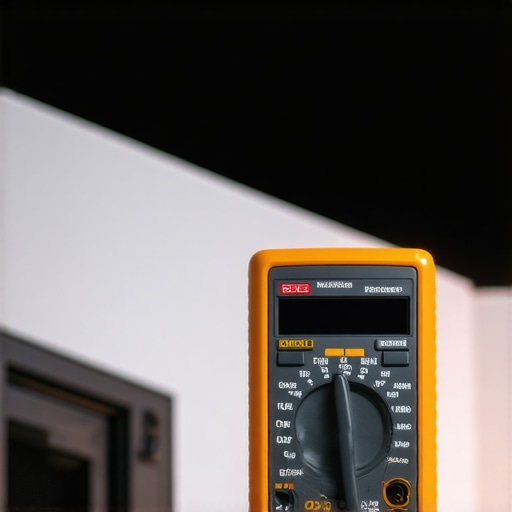
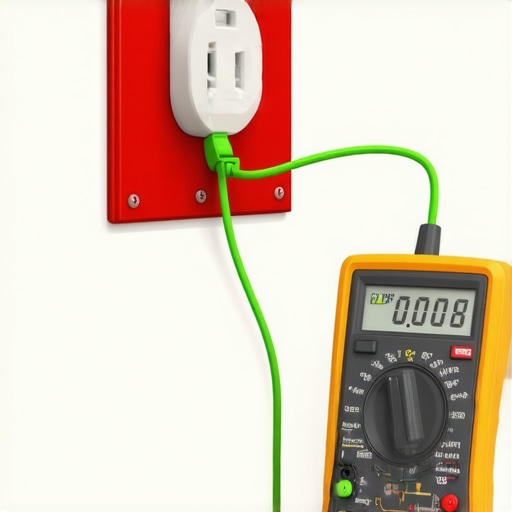
Disengage your equipment and unplug everything from the surge protector. Use a multimeter set to read resistance or voltage, and connect the probes to the device’s outlets—if available, refer to your surge protector’s manual for specific testing procedures. For example, I once tested my old surge protector before an outdoor storm, discovering it was still functioning, which saved me from unnecessary replacement costs. Remember, conducting this test annually ensures your device’s integrity and prevents unexpected failures.
Identify signs of wear or damage
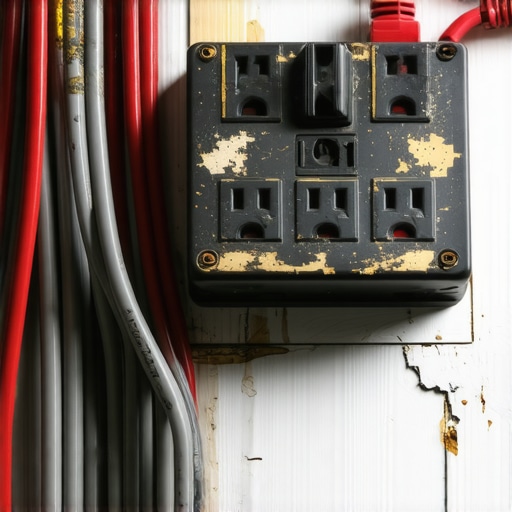
Inspect the surge protector visually—look for scorch marks, frayed cords, or worn-out outlets. Use a flashlight for detailed scrutiny. If you notice discoloration or a burnt smell, it’s time to replace it. This step prevents hidden faults from causing damage during a power surge. I learned this the hard way when my old surge protector’s internal components failed during a nearby lightning strike, risking my expensive gear.
Upgrade Your HDMI Cables for Optimal Performance
Choose HDMI 2.1 cables rated for high bandwidth (48Gbps), ensuring support for 8K video and high dynamic range. When shopping, look for cables with certifications or tested specifications—type and build quality matter. I upgraded mine during a recent home theater overhaul, and the difference in picture clarity and refresh rate stability was immediately noticeable. Use a reputable provider to avoid fakes, as counterfeit cables can cause flickering or signal dropouts, especially at 4K or higher resolutions.
Properly connect HDMI cables
Insert the HDMI connector fully into the port, ensuring a secure fit. Avoid bending or twisting the cable sharply; instead, let it follow a smooth path. For added durability and safety, consider banana plugs on speaker wires—these connectors provide a reliable, corrosion-resistant link. I recently used banana plugs to simplify my speaker setup, which also improved sound clarity and made future upgrades easier. Find quality banana plugs that match your wire gauge and device specifications—check out the detailed guide here.
Secure and Optimize Your Speaker Wiring
Replace bare wire connections with high-quality banana plugs, which prevent oxidation and ensure a stable connection over time. Remove the insulation carefully, then attach the banana plug following the manufacturer’s instructions—generally, by twisting the wire around the plug’s terminal and securing it tightly. I replaced my bare speaker cables during a system upgrade, and the resulting sound became noticeably clearer with less distortion. Use the right gauge wire for your speakers—thicker wire handles higher power and reduces signal loss, especially over long runs. For comprehensive details, see this resource.
Integrate Power Conditioning for Safety
Power conditioners help eliminate electrical noise and voltage fluctuations, protecting sensitive audio and video gear. Choose a model rated for your equipment’s total wattage, with built-in surge protection—aim for units with multiple outlets and EMI/RFI filters. Place the conditioner as close as possible to your gear without overloaded cords. I installed a power conditioner during a renovation, and the immediate reduction in hum and interference was remarkable, improving both sound quality and system reliability. Regularly check indicator lights to confirm surge protection status—replace the conditioner if it shows signs of wear or failure. Learn more about selecting the right power management device here.
Finalizing Connections and Testing for Safety
Once all cables and devices are connected and secured with appropriate connectors like banana plugs, power up your system. Run diagnostic tests—play a high-definition video, check the sound clarity, and observe for flickering or signal loss. Use calibration tools if available, and monitor for stability over time. I once spent an entire afternoon troubleshooting intermittent audio, only to find a loose banana plug causing the issue—tightening it resolved the problem instantly. Consistent testing and maintenance are your best safeguards for long-term performance and equipment safety.Many enthusiasts fall into common traps when upgrading their home theater systems, especially with wiring, surge protection, and HDMI cables. Let’s dig deeper into some nuanced pitfalls that even experienced users often overlook.
Are premium specs enough to guarantee performance? Think again.
One widespread myth is that all HDMI 2.1 cables deliver the same quality, but in my experience, not all cables labeled ‘high-speed 48Gbps’ are created equal. Fake or cheaply manufactured cables may claim to support 8K or HDR but lack the internal shielding or high-quality conductors necessary for consistent performance. To avoid being duped, always verify certifications and test the cable’s actual bandwidth with proper tools, as advised in expert guides like this detailed review. Moreover, relying solely on specs without considering cable build quality can lead to flickering screens or signal dropout, especially over longer runs in high-resolution setups.
Listeners often assume that upgrading speaker wires or switching to banana plugs automatically enhances sound quality. While upgrading to high-grade speaker wire and secure connectors is crucial, there’s a hidden nuance. Many users overlook the importance of matching wire gauge precisely to their amplifier’s power output and speaker impedance. Using thinner wire over long distances, even if terminated with banana plugs, causes resistance that results in less efficient power transfer and diminished audio clarity. My own setup improved dramatically after re-evaluating wire gauge with expert guidance from this comprehensive resource. Regular inspection for oxidation and ensuring tight connections at every contact point prevent rust and signal degradation over time.
Surge protectors are often seen as simple devices, but the reality is far more nuanced. Many believe that a surge protector is a ‘set and forget’ device, yet internal components like Metal-Oxide Varistors (MOVs) degrade after repeated surges. An expired surge protector gives a false sense of security, risking connected equipment during unexpected power spikes. To avoid this trap, I recommend testing your surge protector annually with a multimeter and replacing it every few years, especially after large surges or if it shows physical signs of wear. For detailed testing procedures, see this expert guide. Additionally, combining a good surge protector with a power conditioner enhances overall safety and noise filtration, but not all conditioners are created equal. Many units integrate only basic filtering, which is insufficient for sensitive audio-visual equipment unless they have comprehensive EMI/RFI filtering and ample surge capacity.
Thinking about power conditioning might seem excessive, but it offers substantial benefits when approached correctly. In my experience, investing in a high-quality power conditioner with robust surge protection and low residual noise makes a noticeable difference in both picture clarity and audio fidelity. However, selecting one without considering the total wattage capacity or network compatibility results in underperformance. Always match your system’s power needs with the specs outlined by experts like those at this guide. Moreover, neglecting regular testing or using subpar units can lead to silent failures, causing damage over time. Don’t assume that devices from generic brands are equivalent—research and validate before purchase.
Have you ever fallen into this trap? Let me know in the comments. Remember, understanding these nuances can save your equipment and elevate your home theater experience to professional levels.
How do I keep my setup running smoothly over time?
Maintaining optimal performance in your home theater involves more than just choosing high-quality components; it requires consistent monitoring and the right tools. I personally swear by using a high-precision multimeter like the Fluke 115 for annual surge protector testing. This device allows me to verify voltage levels and resistance accurately, ensuring my surge protectors haven’t degraded. When it comes to HDMI cables, I utilize a bandwidth tester, such as the Murideo SIX-G, to confirm my HDMI 2.1 cables support the claimed 48Gbps, preventing flickering issues in my 8K setup. These tools provide peace of mind and help catch potential problems before they escalate.
Beyond testing, regular physical inspections are vital. I check for discoloration, frayed wires, or scorch marks on surge protectors, referencing the detailed inspection guidelines available at this comprehensive guide. Updating firmware on power conditioners and ensuring banana plugs are corrosion-free can also prevent unexpected failures. As technology evolves rapidly, staying proactive with these maintenance routines will help sustain your system’s performance and longevity.
Looking ahead, the trend leans toward smart monitoring tools that integrate with home automation systems, providing real-time alerts about voltage fluctuations or component degradation. Companies are developing apps that connect via Bluetooth or Wi-Fi to test equipment remotely, simplifying maintenance even further. Investing in such innovations now can set your system up for seamless performance down the line.
For example, I recently adopted a smart power monitoring device compatible with my power conditioner. It not only tracks energy consumption but also sends alerts if voltage irregularities occur, enabling me to respond swiftly, thereby protecting my gear. I highly recommend trying this approach—investing in quality testing tools like a multimeter or smart monitor can save you hours of troubleshooting and prevent costly repairs in the future. Ready to elevate your maintenance game? Start by selecting a reliable multimeter or a smart monitoring device and see the difference it makes in maintaining system reliability.
What I Wish I Knew Before Overlooking the Essentials
One of the most valuable lessons I’ve learned is that seemingly minor components like surge protectors and banana plugs play a massive role in safeguarding expensive gear and ensuring optimal performance. Initially, I underestimated the importance of replacing my aging surge protector, but a close call during a storm revealed how critical regular checks are. It’s a lightbulb moment—tiny upgrades and inspections can save you from costly repairs and frustration down the line.
I also discovered that high-quality HDMI cables and proper speaker wiring are not just about picture and sound quality—they’re about reliability. Relying solely on flashy specs or cheap components can be a false economy, leading to flickering screens or degraded audio. Personal experience taught me that trustworthy, certified cables, combined with solid connections like banana plugs, truly make a difference in high-resolution setups. Read more at this detailed guide for insights on choosing the right hardware.
Another lesson is the significance of power conditioners. They’re more than fancy boxes—they actively clean your electrical supply, shielding sensitive equipment from harmful surges and noise. Ignoring this step can lead to subtle distortions and, eventually, equipment failure. Regular testing of these devices, perhaps with a multimeter or smart monitor, has become a non-negotiable part of my maintenance routine, ensuring peace of mind and clarity in audio and visuals.
Where Experience Meets Cutting-Edge Equipment
- Trust in verified links and certifications to steer clear of counterfeit cables or faulty surge protectors. Knowing which products truly support high-bandwidth HDMI 2.1 standards and durable banana plugs helps prevent signal issues and component damage.
- Understand that regular checks and proactive replacements are your best defense against wear and unexpected failures. Equipment degradation is often invisible until a surge or fault causes a crisis, so stay ahead with scheduled inspections and tests.
- Investing in quality tools, like a precise multimeter or smart power monitor, provides real-time insights into your system’s health. These investments not only safeguard your gear but also elevate your home’s entertainment experience, making every viewing and listening session a delight.
Your Next Move Toward a Safer, Smarter Setup
Don’t let hidden issues silently undermine your home theater dreams. Embrace the learning, perform the regular maintenance, and consider smarter solutions for ongoing protection. Small actions today lay the foundation for astonishing audiovisual experiences tomorrow. Remember, every component—whether it’s a surge protector, HDMI cable, or banana plug—serves as the backbone of your entertainment sanctuary. Start applying these tips now, and enjoy the clarity, safety, and satisfaction you deserve.
Have you ever faced an unexpected equipment failure due to overlooked safety measures? Share your story below and let’s learn together how to keep our setups running flawlessly.
About the Author

![Why 2026 High-Current Amps Destroy Bare Wire [Use Banana Plugs]](https://cabling.homeavreviewhub.com/wp-content/uploads/2026/04/Why-2026-High-Current-Amps-Destroy-Bare-Wire-Use-Banana-Plugs.jpeg)


![Why Banana Plugs Beat Bare Wire for 2026 High-Current Amps [Data]](https://cabling.homeavreviewhub.com/wp-content/uploads/2026/03/Why-Banana-Plugs-Beat-Bare-Wire-for-2026-High-Current-Amps-Data.jpeg)
This post really hits home for me. I once had a sudden power surge during a storm that caused some damage to my high-end audio equipment, and it was only then I realized how crucial it is to regularly check and replace surge protectors. The warning signs are often subtle, like scorch marks or a burnt smell, which I once ignored until I experienced a costly mistake. Since then, I’ve started testing my surge protectors annually with a multimeter and replacing them every few years, especially after big power events. Interestingly, I’ve read that many people assume their surge protectors are foolproof, but internal components like MOVs degrade over time without visible signs. Has anyone else experienced a close call due to an aging surge protector, or found effective ways to test their units beyond basic visual inspections? I think investing in good power conditioning and smart monitoring can really make a difference, especially for sensitive equipment like ours.