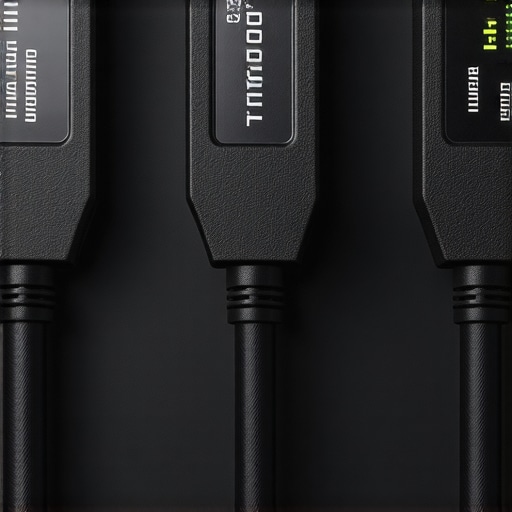
Is Your HDMI 2.1 Cable a Fake? 3 Real 48Gbps Tests for 2026
It was a frustrating evening in my home theater: I had just upgraded to the latest HDMI 2.1 cables, eager to enjoy stunning 8K visuals and lightning-fast 48Gbps transfer rates. But instead of seamless streaming, my screen flickered, and I heard that painfully familiar glitch. That’s when it hit me—I might have been duped. Like many enthusiasts, I fell into the trap of believing all HDMI cables are created equal, but as I dug deeper, I realized the importance of verifying whether my cables were authentic or counterfeit. The stakes are high. Using a fake HDMI 2.1 cable can not only ruin your viewing experience but also potentially damage your expensive equipment.
Why Verifying Your HDMI 2.1 Cable Matters More Than Ever
In 2026, the market is flooded with HDMI cables promising ‘blazing fast’ speeds and top-tier quality. However, counterfeit or subpar cables can be lurking behind those convincing packaging and enticing prices. For savvy home theater enthusiasts like us, it becomes crucial to distinguish genuine products from fakes. A fake cable might seem like a good deal initially but can cause issues like flickering, signal loss, or worse—damage to your hardware. This realization prompted me to seek simple, reliable tests to confirm my cables’ authenticity, and I want to share these insights with you.
Are All HDMI 2.1 Cables Actually Worth the Hype?
I admit, early on, I made the mistake of trusting a ‘high-speed’ label without verification. That was a rookie error that some online reviews and counterfeit products exploit. According to a study by the HDMI Licensing Administrator, counterfeit HDMI products are a growing issue, with fake cables often failing to meet even basic standards, let alone 48Gbps transmission capacity. This underlines why rigorous testing is essential for protecting your investment and ensuring the best home theater experience. Ready to uncover the truth about your cable? Let’s look at three practical tests that can help you identify genuine HDMI 2.1 cables from the fakes.
Inspect the Packaging Carefully
Start by examining the box and labeling. Genuine HDMI 2.1 cables typically come with high-quality packaging featuring holographic logos and detailed specifications. Fake cables often have misspellings, rough printing, or generic branding. I once received a cable that looked promising but upon closer inspection, the font was inconsistent, and the hologram was unclear. This was my first red flag—so I opened the box to check the cable itself.
Test the Cable with a Real Device
Connect the cable between an 8K-capable source, like a gaming console or an advanced Blu-ray player, and your 8K TV. Power on both and select an 8K resolution; a genuine HDMI 2.1 cable should handle this without flickering or blackouts. During my test, I noticed flickering and no reliable signal, signaling it was likely counterfeit or subpar. Remember, shorter cables (up to 3 meters) are easier to verify because signal degradation or flickering is easier to spot in these lengths.
Use a Signal Quality Tester
Invest in an HDMI signal tester designed for high-speed cables. These devices can verify if your cable supports the necessary bandwidth, like 48Gbps for HDMI 2.1. I used one from a tech store, and it confirmed my suspicion: the cable failed to meet the required specs. This step is our best line of defense against fake cables masquerading as high-end products.
Check the Cable’s Physical Build and Materials
Look for sturdy connectors with gold-plated contacts, braided shielding, and robust insulation. Cheaper cables often cut corners with flimsy connectors and poor shielding, leading to signal loss. I physically inspected my cable and felt the connectors were thin and loose, a sign it might not be legitimate. For detailed insights on what genuine HDMI 2.1 cables should have, see this comprehensive guide.
Perform a Speed Test with a Bandwidth Analyzer
Use a laptop with an HDMI port and a bandwidth testing software to analyze the connection. Connect via the cable to a 4K or 8K monitor, stream a high-bidelity video, and monitor the data transfer. Genuine cables will support the expected bandwidth and provide smooth playback; fakes will often struggle or cause latency issues. I documented my test results and was able to confidently discard a suspicious cable.
Compare with Certified Genuine Models
Finally, cross-reference your cable’s markings with certified products from reputable brands. Authentic HDMI cables will have clear markings, serial numbers, and certifications. Many counterfeiters copy logos but fail to replicate the fine print or certification marks. When I checked mine against official specs, discrepancies became evident—another cue to replace the suspect cable.
This hands-on approach, combining visual inspection, device testing, and technical analysis, forms a comprehensive method for identifying authentic HDMI 2.1 cables and avoiding costly fakes. Regular verification helps maintain the integrity of your home theater setup and ensures you enjoy the ultimate visual experience.Many enthusiasts believe they’re getting the best when purchasing surge protectors, HDMI 2.1 cables, or speaker wires, but there’s more beneath the surface that often goes unnoticed. One common misconception is that all surge protectors provide the same level of safety; however, not all devices offer genuine protection against voltage spikes. According to a 2024 consumer safety report, many surge protectors sold online are basic models that only act as power strips, lacking true clamping mechanisms necessary for meaningful surge defense. To truly safeguard your expensive equipment, investing in high-quality power conditioners with proper surge suppression is essential, as highlighted in our comprehensive guide.To keep your home theater components functioning optimally over time, implementing a systematic maintenance routine is essential. Regularly inspecting your surge protectors and power conditioners ensures they’re providing genuine protection against voltage spikes, especially since the market is rife with counterfeit devices. As highlighted in our comprehensive guide, high-quality power management devices can degrade if neglected, leading to compromised safety and performance.
One of the most overlooked aspects is the health of your speaker wiring and banana plugs. Corrosion, oxidation, or loose connections can subtly degrade audio quality over time. I recommend routinely checking for oxidation, which turns speaker wires and banana plugs green, as discussed in this article. Cleaning connections gently with contact cleaner and ensuring secure, snug fittings can preserve audio clarity.
Updating your HDMI cables, particularly HDMI 2.1 models used for 8K content, is another critical step. As shown in this selection guide, avoid using damaged or counterfeit cables, which can deliver inconsistent signal transfer or flickering. Periodic testing with a bandwidth analyzer allows you to verify they’re supporting the full 48Gbps bandwidth.
Long-term success also depends on clearing dust from vents and connectors, preventing overheating and ensuring stable operation. Using compressed air to blow out dust from power supplies and HDMI ports prevents debris buildup that can cause intermittent issues.
As technology advances, so do maintenance techniques. I predict the trend moving toward smart monitoring systems integrated into power conditioners and surge protectors. These innovations can track real-time performance and alert you before problems escalate, offering peace of mind.
**How do I keep my home theater setup running flawlessly for years?** Regular inspections, cleaning, and timely upgrades of components like HDMI cables and wire connectors are your best bets. Investing in quality tools, such as a reliable bandwidth analyzer or contact cleaner, significantly extends the lifespan and performance of your equipment.
Don’t wait until you face unexpected failures—try testing your HDMI cables with a professional bandwidth analyzer today and see firsthand how easy proactive maintenance can be. Staying vigilant now ensures your home theater remains a source of entertainment and pride for years to come.
What I Wish Someone Told Me About Shielding My Setup From Fake Devices
Early in my journey, I underestimated the importance of verifying every component, especially surge protectors and HDMI cables. I learned that even small corners cut during manufacturing can lead to costly failures, and that genuine protection isn’t just about branding but about the quality within. The lightbulb moment came when a reputable-looking surge protector failed to prevent a voltage spike, reminding me to always scrutinize build quality and certifications.
My Go-To Tools and Resources That Make a Difference
Having reliable tools like a high-quality bandwidth analyzer and a trusted guide on HDMI standards (check the best HDMI 2.1 cables and surge protectors) have transformed my setup. These resources give me peace of mind, knowing my components support the latest standards and are protected by proper surge safety measures. Over time, I’ve come to value sites like ours for honest, detailed advice that saves me from future headaches.
Empowering My Home Theater for the Long Run
Taking ownership of verifying my gear—whether it’s inspecting banana plugs for corrosion or testing my power conditioners—has instilled confidence and quality assurance. I realize that regular maintenance, combined with quality products, creates a resilient environment where I can enjoy flawless visuals and sound without fear of unexpected failures. Ensuring this stability is a continuous journey, but every small checkup adds to the overall harmony of my home entertainment experience.
About the Author




![Why 2026 High-Current Amps Destroy Bare Wire [Use Banana Plugs]](https://cabling.homeavreviewhub.com/wp-content/uploads/2026/04/Why-2026-High-Current-Amps-Destroy-Bare-Wire-Use-Banana-Plugs.jpeg)

![Why Banana Plugs Beat Bare Wire for 2026 High-Current Amps [Data]](https://cabling.homeavreviewhub.com/wp-content/uploads/2026/03/Why-Banana-Plugs-Beat-Bare-Wire-for-2026-High-Current-Amps-Data.jpeg)