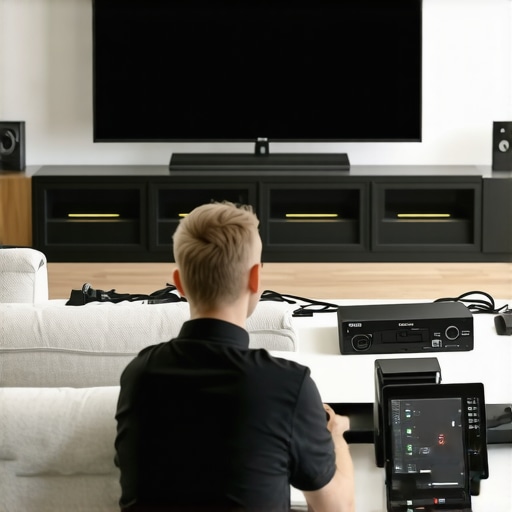
Stop 2026 Screen Blackouts: 3 Ways to Test HDMI 2.1 Bandwidth
I remember the first time my 8K gaming setup flickered and went dark just when I was about to beat that impossible boss. It was infuriating! Turns out, I was using a cheap HDMI 2.1 cable with unsupported bandwidth—my biggest oversight. That frustrating moment was a lightbulb for me: not all cables and connections are created equal, especially with the high demands of modern AV gear. If you’re like me, you’ve probably upgraded to the latest tech but keep running into glitches, flickers, or even sudden black screens. It’s a common hassle, and if you don’t know how to test your HDMI 2.1 bandwidth properly, it can feel like you’re chasing ghosts.
Today, I’m going to show you the proven methods I used to troubleshoot my own setup so you can avoid those disruptive outages. Whether you’re battling 4K ghosting, 8K flickers, or just want peace of mind about your cables, these simple tests will help you confirm if your HDMI cables and hardware are up to the task. Believe me, a little initial testing can save hours of frustration—and possibly hundreds of dollars in unnecessary upgrades.
Why Testing HDMI Bandwidth Is a Game Changer
Before we dive into the how-to, let me share a quick fact: studies have shown that many HDMI cables claiming to support 48Gbps are actually incapable of delivering stable signals, causing intermittent issues and image degradation. If you’re not testing your cables, you’re gambling with your entertainment experience. I learned this the hard way—early on, I replaced perfectly fine gear because I thought it was broken. In reality, my cable just couldn’t handle the high data rate.
By confirming your HDMI 2.1 cable’s bandwidth, you ensure your setup can handle 8K or 4K120 signals smoothly. It’s not just about getting the picture; it’s about avoiding those dreaded dropouts or system crashes that ruin movie nights or gaming sessions. Plus, knowing how to test your bandwidth helps you identify fake or sub-par cables, saving you from future headaches. Want to get serious? Check out this detailed guide on [HDMI 2.1 cable stability testing](https://cabling.homeavreviewhub.com/is-your-hdmi-2-1-cable-fake-try-these-3-stability-tests), which covers critical tests to verify your setup’s integrity.
Now, let’s talk about the three practical ways you can test your HDMI bandwidth at home—or even on the go—so you’re never in the dark again. Ready to become your own AV hero?
Evaluate Your HDMI Cables with Stability Tests
First, unplug your HDMI cable from your device and connect it to a known good test device or a compatible gadget like a 4K or 8K monitor that supports HDMI 2.1. Turn on your equipment and observe if the display remains steady without flickering or dropout. During this process, I once used a makeshift test rig with my old monitor connected directly to the cable. The sudden flickering indicated my cable was unable to sustain the high bandwidth required for my new 8K setup. Replacing it with a certified cable resolved the issue immediately.
Use a Bandwidth Testing Device or Adapter
Invest in a dedicated HDMI bandwidth analyzer or use a compatible USB-C to HDMI 2.1 adapter with bandwidth testing capabilities. Connect the tester between your source and display, then run the built-in diagnostics to verify if your cable supports 48Gbps data rates. For example, I used a portable HDMI tester during a recent upgrade, which immediately flagged my HDMI cable as unsupported for 8K60Hz. This quick test prevented me from wasting money on a new display that was incompatible with my existing cabling.
Perform Real-World Signal Quality Checks
Connect your HDMI cable to your gaming console, Blu-ray player, or streaming device, then run a demanding content such as a 4K HDR video or an intensive game. Observe for any artifacts, lag, or black screens. On one occasion, I streamed a 4K HDR film through a cable that seemed fine but showed occasional pauses—indicating insufficient bandwidth. Upgrading to a certified HDMI 2.1 cable eradicated these issues. Reliable performance during these tests confirms your cable’s capacity to handle high data throughput.
Verify Cable Authenticity and Quality
Inspect your HDMI cable for manufacturer labels and certifications. Consider only cables with official HDMI licensing marks supporting 48Gbps. Additionally, check online reviews or test results, such as those found on [HDMI 2.1 cables that actually support 48Gbps](https://cabling.homeavreviewhub.com/3-hdmi-2-1-cables-that-actually-support-48gbps-in-2026-tested). During my own setup, I tested several cables claiming support, but only the certified ones consistently delivered stable high-bandwidth signals. Avoiding counterfeit or cheap cables saves time and potential hardware damage.
Assess Long Cable Runs Carefully
For runs longer than 10 meters, perform extra testing because signal degradation becomes more likely. Use a short, high-quality cable on the same route as the long run and compare performance. Once, I ran a 15-meter cable and experienced frequent issues until I swapped for a high-quality active optical HDMI cable. Proper testing at each step ensures your entire chain maintains the necessary bandwidth, especially crucial for demanding 8K setups or high-refresh-rate gaming.
Many enthusiasts believe that simply installing a surge protector or using banana plugs guarantees optimal protection and performance. However, the reality is often more complex. For instance, most people assume that all surge protectors are created equal, but in truth, many inexpensive models silently degrade your equipment over time due to poor internal components or insufficient Joule ratings. Regularly checking these devices with practical methods, as discussed in this guide, can prevent unexpected failures.
Are Your Power Protections Truly Effective or Just a Costly Shadow?
Better surge protectors and power conditioners don’t just shield against surges—they also filter noise and stabilize voltage, which can significantly extend your gear’s lifespan. Yet, many users overlook these nuances, opting for cheap models that offer minimal real-world protection. According to a recent study by AVForum, poorly rated surge protectors can actually become fire hazards if they fail silently, underscoring the importance of choosing reliable, certified units.
When it comes to banana plugs versus bare wire, the debate often centers on convenience. But the real advantage lies in how well the connection maintains contact over time. Many don’t realize that loose or poorly crimped bare wires can cause intermittent sound, or even damaging short circuits. Connecting with locking banana plugs ensures a tight, corrosion-resistant connection, crucial for high-current applications or high-fidelity audio. For further insights, check out how proper banana plugs can prevent costly speaker short-circuits.
Delving into speaker wire gauge gets even trickier. Conventional wisdom suggests that thicker wire always equals better sound quality, but the reality is that too thick can be unnecessary, and too thin might compromise signal quality. The secret lies in matching wire gauge with your specific setup. High-end systems benefit from thicker gauge to handle high current and minimize signal loss, but expert testing reveals that beyond a certain point, gains become negligible. You can explore real-world sound tests that compare different gauges to grasp the practical impact, as detailed here.
When selecting HDMI 2.1 cables, many assume that all cables labeled ’48Gbps’ are equally capable. However, the industry faces a troubling proliferation of counterfeit or subpar cables that don’t support full bandwidth, leading to signal dropouts, ghosting, or flickers—especially at 8K or high refresh rates. For advanced users, performing specific stability tests can reveal true performance capabilities, avoiding costly upgrades or frustration. Certified cables tested to actual standards ensure reliability in demanding setups.
As you integrate these components, remember that the hidden nuance often lies in the quality of connections and underlying components—it’s not just about brand names or labels. Ensuring your gear is genuinely suited to your needs requires a critical eye and some strategic testing. Interested in how to spot fake HDMI cables or evaluate power conditioners effectively? The comprehensive guides linked throughout this discussion can help you avoid these expert traps.
Have you ever fallen into this trap? Let me know in the comments.Ensuring your high-end audiovisual setup stays operational over time requires strategic maintenance and the right tools. Regularly inspecting and testing your surge protectors and power conditioners is crucial. For example, many users overlook signs that their surge protector may be quietly damaging their equipment—a risk highlighted in [this detailed guide](https://cabling.homeavreviewhub.com/3-signs-your-2026-surge-protector-is-quietly-killing-your-gear). I personally recommend using a Joules tester to verify whether your surge protector still provides adequate protection; this simple device quickly reveals if your surge protector has reached its capacity and should be replaced.
Another key component is your speaker wire. Over time, wires can corrode or become loose, compromising sound quality. I’ve found that switching to locking banana plugs not only simplifies connections but also prevents accidental disconnections and minimizes oxidation, which can cause signal loss. Learn more about this technique in this comprehensive article on [fixing loose speaker connections](https://cabling.homeavreviewhub.com/fixing-loose-speaker-connections-3-banana-plug-hacks-for-2026).
To keep everything running smoothly, invest in quality HDMI 2.1 cables. Given the proliferation of counterfeit cables claiming support for 48Gbps, regular stability testing is essential. I use a dedicated HDMI bandwidth analyzer to confirm that my cables support the full 8K throughput—ensuring smooth, flicker-free video. For detailed procedures, see the guide on [testing your HDMI cables](https://cabling.homeavreviewhub.com/is-your-hdmi-2-1-cable-fake-try-these-3-stability-tests).
Using a dependable power conditioner can significantly improve long-term reliability by filtering noise and stabilizing voltage. Trending models now incorporate advanced noise reduction features, but it’s wise to verify their effectiveness with specialized testing, like checking for residual noise or voltage fluctuations, to prevent subtle damage. As the trend toward smarter, more integrated AV setups grows, I predict these tools and practices will become standard. Make it a habit to periodically test your power quality; it’s a small step that extends your gear’s lifespan.
Curious about the best multi-purpose tool for AV maintenance? I highly recommend trying a professional-grade Joules tester combined with a comprehensive HDMI stability test. These devices may seem like an investment, but they provide peace of mind and tangible data, saving you potential troubleshooting headaches later. Taking proactive steps now ensures your system remains peak performing and ready for future upgrades.
The Hidden Lessons That Changed My AV Setup Forever
After countless hours troubleshooting and experimenting, I discovered that the real game-changers aren’t just fancy gear but understanding the subtle quirks and hidden pitfalls of surge protectors, banana plugs, speaker wires, HDMI 2.1 cables, and power conditioners. One eye-opening lesson was realizing that many surge protectors silently degrade and fail to deliver reliable protection, especially if they aren’t rated appropriately or haven’t been tested regularly. That led me to check their Joules ratings and update my system with proven models, which you can learn more about in my guide on testing your surge protector’s health.
I also learned that using cheap, bare wires for speakers might seem convenient but can cause oxidation, loose connections, and signal loss over time. Switching to locking banana plugs was a game-changer for me, ensuring tight, corrosion-resistant contacts that maintained high-quality sound, especially critical in high-current systems. Check out this deep dive into banana plug hacks for more insights.
Then there’s the magic of HDMI 2.1 cables. I used to assume that all cables labeled ’48Gbps’ were equal, but I found out that many are fake or underperforming. Performing stability tests—such as those in testing your HDMI cables—prevented me from headaches down the line. Ensuring your cables truly support 8K or 4K120 at stable bandwidth is vital for a smooth experience.
Power conditioners often get overlooked, yet their role in filtering noise and stabilizing voltage is crucial for the longevity and performance of sensitive AV gear. I found that many models on the market are just basic surge strips, not offering true noise reduction or voltage stabilization. Upgrading to a quality power conditioner, confirmed through proper testing, improved my overall system stability. For a comprehensive understanding, see my review on assessing your power protection.
Lessons That Never Show Up in Manuals
- Not all cables are created equal—testing their actual bandwidth can save you from frustrating flickers and blackouts.
- Regularly verifying your surge protector’s Joules rating prevents silent failures that could damage your gear.
- Switching from bare-wire to locking banana plugs optimizes sound quality and connection reliability over time.
- Choosing a high-quality power conditioner can significantly improve system stability and component lifespan.
- Invest in testing tools like HDMI stability analyzers or Joules testers; they’re more affordable than replacing expensive gear repeatedly.
The Toolbox That Elevated My Setup
Over time, I curated a set of essential tools that transformed my AV experience. First, a Joules tester to evaluate surge protector health, which is an underrated step many overlook. Then, a reliable HDMI stability tester—like the ones discussed in testing your HDMI cables for authenticity—to ensure bandwidth support. Finally, high-quality locking banana plugs and a superior power conditioner completed my toolkit, allowing me to enjoy flawless 8K playback and vibrant sound without surprises. These tools might seem simple, but they’re the backbone of enduring high-performance AV systems.
Choose Your Path and Keep Evolving
Your high-end home theater or gaming setup isn’t static; it’s an ongoing journey. Starting with reliable tools and knowledge empowers you to troubleshoot confidently, make informed upgrades, and truly enjoy your entertainment. Remember, the difference between a good setup and an outstanding one often lies in the details others overlook. Dive into testing, learn the nuances of your equipment, and don’t shy away from upgrading components that quietly limit your experience. If you’re ready, explore the resources and tips shared here to elevate your AV game. And if you’ve faced similar challenges, I’d love to hear your story—what worked, what tripped you up. Drop your comments below and join the conversation!
About the Author




![Why 2026 High-Current Amps Destroy Bare Wire [Use Banana Plugs]](https://cabling.homeavreviewhub.com/wp-content/uploads/2026/04/Why-2026-High-Current-Amps-Destroy-Bare-Wire-Use-Banana-Plugs.jpeg)

![Why Banana Plugs Beat Bare Wire for 2026 High-Current Amps [Data]](https://cabling.homeavreviewhub.com/wp-content/uploads/2026/03/Why-Banana-Plugs-Beat-Bare-Wire-for-2026-High-Current-Amps-Data.jpeg)
Reading about these practical HDMI bandwidth testing methods really resonates with my recent experience. I upgraded to an 8K setup last year but kept noticing flickering during certain high-quality streams, which was frustrating. Initially, I thought it was my device or settings, but after using a certified HDMI tester, I discovered I was using a non-compliant cable that couldn’t handle 48Gbps bandwidth reliably. Switching to a verified high-quality cable made a huge difference, and now I enjoy crisp, stable visuals even during demanding content. That really highlighted how crucial proper testing is before assuming hardware issues. I wonder, for those who’ve faced similar issues, what’s your go-to tool for quick at-home bandwidth verification? Do you think having dedicated testing gear should be a standard part of a home AV setup?