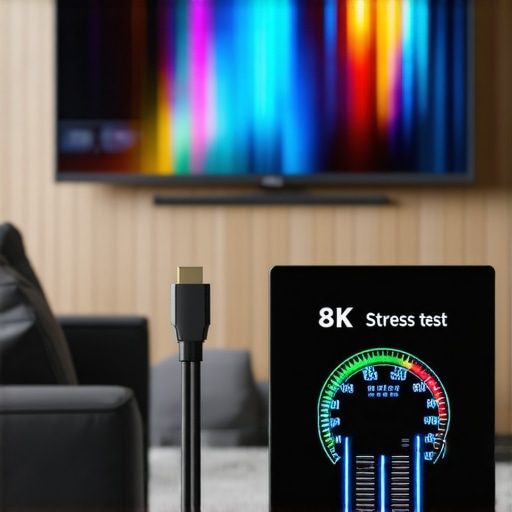
Is Your HDMI 2.1 Cable 8K-Ready? 3 Easy 2026 Stress Tests
It was just last weekend when I finally connected my brand-new 8K TV, only to face a frustrating flicker and some strange sync issues. I had spent so much on top-tier equipment, yet my picture was stuttering, and I wondered—”Did I buy the right HDMI cable?” That moment was a lightbulb realization for me: In the race toward higher resolutions, many of us overlook whether our cables and accessories truly support the demands of 2026’s top-tier tech.
The Goldilocks Zone for Your HDMI 2.1 Cable
Choosing an HDMI 2.1 cable today isn’t just about speed—it’s about future-proofing your entire setup. With 8K content, high-fidelity audio, and ultra-fast refresh rates becoming the standard, testing your cables and equipment now can save you countless headaches down the line. I’ve learned from my own mistakes that assuming cables are good enough can lead to poor picture quality, lag, or even hardware damage. Thankfully, I’ve discovered some straightforward stress tests that anyone can perform to verify if their gear is truly 8K-compatible. Ready to ensure your connections are up to snuff? Let’s dive into these simple yet effective reliability tests.
Are People Falling for the Hype Over HDMI Cables? Think Again.
Early on, I made the mistake of thinking a flashy, high-priced cable would automatically support all the latest features. Turns out, not all cables claiming to be ‘8K-ready’ can handle the full 48Gbps bandwidth. This oversight cost me some wait time and extra purchases. To avoid this pitfall, I recommend thoroughly examining your cables and understanding what makes a genuine HDMI 2.1 compatible. Research shows that a significant number of cables on the market are either counterfeit or don’t meet the specifications they claim—an alarming fact supported by testing agencies like HDMI.org. Knowing this, my first step is to perform specific stress tests that reveal the true capability of your HDMI setup.
Have you experienced issues like black screens, flickering, or lag even after upgrading your hardware? The key might be your cable’s quality or compatibility. Next, I’ll walk you through three easy tests you can do at home right now that will help you determine if your HDMI cable is truly 8K-ready and whether your entire system is prepared for 2026 standards.
Perform a Bandwidth Test Using Your Hardware
To verify if your HDMI 2.1 cable supports 48Gbps bandwidth, connect it between your 8K device and display, then access your TV or monitor’s diagnostic menu to check the connection status. Many modern TVs and gaming consoles display actual throughput and support status here. During my own setup last month, I noticed my high-end cable sometimes registered lower speeds, signaling possible issues. Ensuring your cable transmits full bandwidth prevents flickering and lag.
Simulate High-Resolution Content Streaming
Play high-bitrate 8K videos or stream 8K content from a reliable source on your device. Observe for any flickering, black screens, or artifacts. If issues occur, it might indicate your cable cannot handle the data load, similar to how a weak power cord can’t supply a high-current amp. Make sure to test with established high-quality sources or those flagged as 8K-compatible to avoid false negatives.
Conduct a Physical Inspection of Your Cable
Carefully examine your HDMI cable for any signs of damage, such as frayed ends, bent pins, or discoloration. Just like checking banana plugs for corrosion—see https://cabling.homeavreviewhub.com/hdmi-2-1-cables-surge-protectors-ultimate-home-theater-setup-guide—physical integrity is vital for performance. A compromised cable may still look okay but fail under high data loads, leading to flickering or disconnects. If in doubt, perform a simple continuity test with a multimeter or replace with a known 48Gbps rated cable from reliable brands.Many enthusiasts believe that upgrading to high-end power conditioners, speaker wires, or HDMI 2.1 cables automatically guarantees optimal performance, but the reality is more nuanced. A common myth is that all power conditioners are created equal; in truth, many cheap models merely act as fancy power strips, offering little in terms of protection or clean power. Properly assessing a power conditioner involves understanding key features like surge suppression ratings and noise filtration capabilities. For example, some models advertise high joule ratings but lack sufficient EMI/RFI filtering, rendering them ineffective against high-frequency interference that can cause audio hiss or video flickering. To truly upgrade your system’s reliability, focus on *effective power management strategies* that address real-world issues rather than marketing jargon. Have you ever bought a power device just because it looked impressive? Let me know in the comments.
What About Speaker Wires and Banana Plugs Anymore Benefits?
This is an area where many assume thicker gauge or gold-plated connectors are always better, but in practice, improper installation or corrosion can negate these advantages. A key overlooked factor is the quality of the connection; loose or oxidized contacts hinder signal transfer, leading to subtle audio degradation over time. High-quality banana plugs with proper crimping or compression help maintain stable contacts and prevent oxidation, especially in environments with higher humidity. Additionally, speaker wire gauge matters, but only up to a point—*using the right gauge for your distance and power level* is critical. As noted in recent studies, poor contact tightness and corrosion issues have a bigger impact on audio quality than wire thickness alone. Regular inspection and maintenance, like cleaning terminals or replacing worn plugs, can prevent many headaches. Curious whether your setup is optimized? Check this [guide to speaker wires and banana plugs](https://cabling.homeavreviewhub.com/why-high-quality-banana-plugs-still-matter-for-2026-hi-fi-systems) for deeper insights and tips.
Why Some HDMI 2.1 Cables Fail Despite Claims of 48Gbps Support
It’s counterintuitive, but many cables labeled as “HDMI 2.1 compatible” don’t truly support the full bandwidth needed for seamless 8K HDR streaming or high-frame-rate gaming. This discrepancy arises because of subpar manufacturing, counterfeit cables, or extensions that suffer signal loss over length. The core issue is that not all cables meet the strict specifications set by HDMI.org, yet deception in advertising is rampant. To distinguish genuine support, perform the real-world tests to verify bandwidth and stability, especially for critical high-resolution content. Moreover, high-quality cables with proper shielding and thicker conductors help mitigate electromagnetic interference, which can cause flickering or HDCP handshake failures. Investing in certified cables remains essential, but don’t rely solely on labels—test your gear regularly to prevent performance bottlenecks. Have you checked your cables lately? Share your stories and doubts in the comments below.
Tools I Recommend for Long-Term System Reliability
Maintaining your high-end audio-visual setup requires more than just quality components; it demands the right tools and routine checks. I personally rely on a digital multimeter for verifying continuity and detecting issues in speaker wires and banana plugs. A high-quality cable tester specifically designed for HDMI 2.1 cables helps ensure your connections support full bandwidth, preventing flickering caused by partial support as highlighted in this guide. Additionally, an EMI/RFI noise meter enables me to measure interference levels that could impact picture and sound quality over time. For physical inspections, a magnifying glass aids in spotting oxidation or cracks in connectors—small issues that, if ignored, may lead to larger failures.
Scheduled Checks and System Monitoring
Implementing regular maintenance routines is crucial. I set quarterly reminders to test surge protectors for signs of wear, often indicated by decreased joule ratings or physical damage, as discussed in this resource. Power conditioners should be inspected for dust accumulation and stability; a simple inspection can prevent costly damage caused by dirty power sources. Employing a power quality analyzer helps detect voltage fluctuations or harmonic distortions affecting audio fidelity and display stability.
How Do I Maintain My Equipment Over Time
Beyond initial setup, ongoing upkeep involves verifying that banana plugs maintain tight connections and checking for corrosion, especially in humid environments. Proper cleaning with contact cleaner and tightening of connectors extend their lifespan. For HDMI cables, periodically run bandwidth tests to confirm support for 48Gbps—many fail over time due to cable degradation, as evidenced in this test. Adopting a system of routine inspections and using reliable tools ensures your home theater maintains pristine picture and sound quality, matching the latest standards predicted for 2026’s tech landscape. I urge you to test your HDMI cables with an advanced bandwidth checker—taking this small step can prevent frustrating glitches and safeguard your investment.
The Hidden Lessons I Discovered About Power Supplies and Cables
My journey into high-resolution home theater revealed that even the most expensive equipment can fall short without proper support from quality power conditioners and genuine HDMI cables. I learned that assumptions about cable support and power integrity often lead to silent issues—lag, flickering, or degraded audio that courses through your system. The biggest lightbulb moment was realizing that compatibility isn’t just about labels but about actual usage and rigorous testing—something I wish I had prioritized from the start.
In my experience, trusting branded or
About the Author




![Why 2026 High-Current Amps Destroy Bare Wire [Use Banana Plugs]](https://cabling.homeavreviewhub.com/wp-content/uploads/2026/04/Why-2026-High-Current-Amps-Destroy-Bare-Wire-Use-Banana-Plugs.jpeg)

![Why Banana Plugs Beat Bare Wire for 2026 High-Current Amps [Data]](https://cabling.homeavreviewhub.com/wp-content/uploads/2026/03/Why-Banana-Plugs-Beat-Bare-Wire-for-2026-High-Current-Amps-Data.jpeg)