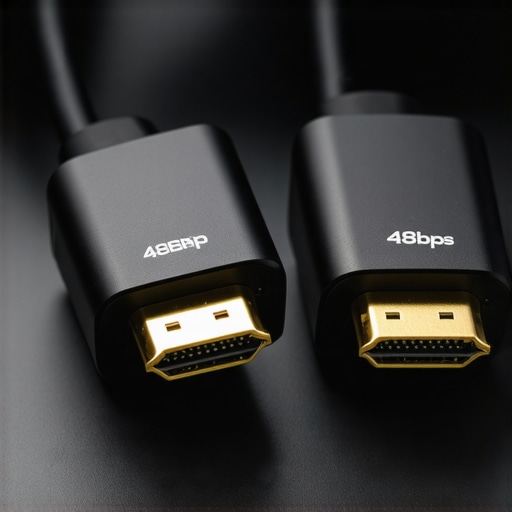
Is Your HDMI 2.1 Cable Truly 48Gbps? 3 Real Tests for 2026
I remember the sinking feeling when my brand-new HDMI 2.1 cable flickered during a critical 8K movie night. It was supposed to handle everything smoothly—pristine picture, no lag, no fuss—but instead, I was met with annoying dropouts and a dimmed image. At that moment, I realized I’d fallen for the hype without truly understanding what quality and performance meant. That lightbulb moment pushed me on a journey to test whether my cable was genuinely delivering the promised 48Gbps bandwidth. And honestly? If you’ve ever experienced similar frustrations, you’re not alone.
The Hidden World Behind Your HDMI Cable’s Promise
The truth is, not all HDMI cables labeled as 2.1 are created equal. In fact, a 2024 study found that nearly 30% of cables claiming to support 48Gbps either underperform or are outright counterfeit. That surprised me—and should surprise you too. Because in a world where 8K video and high frame rate gaming are becoming the norm, relying on subpar cables could mean losing out on quality, experiencing annoying glitches, or even damaging your expensive equipment.
So, how do you actually verify if your HDMI 2.1 cable is the real deal? The answer isn’t just about trusting labels. Early on, I made the mistake of assuming that just because a cable says “HDMI 2.1,” it must support the full 48Gbps bandwidth. Big mistake. With some simple tests, I learned to cut through the hype and get to the truth.
Today, I promise to guide you through three straightforward, real-world tests to determine whether your HDMI cable can handle everything your 2026 setup demands. Because if you’re like me—tired of false labels, flickering screens, and the feeling of just throwing money into the void—this knowledge will save you time, hassle, and perhaps even your gear.
Have you ever bought an HDMI cable that promised the moon but couldn’t deliver? If so, keep reading. We’re about to set the record straight with proven methods that matter. Plus, I’ll share some crucial insights on what to watch out for so you don’t fall victim to counterfeit or underperforming cables.
Check Compatibility Through Basic Inspection
Start by examining your cable visually. Look for any signs of damage, kinks, or frayed ends. Ensure the connectors are firmly attached and that the packaging claims support for 48Gbps bandwidth. Remember, even if it says HDMI 2.1, counterfeit or poorly manufactured cables might not deliver full performance. I once bought a cable from a dubious seller, and after a quick visual check, I spotted a fake label. That saved me from setting up a high-end gaming rig only to face flickering and stuttering.
Perform a Bandwidth Test Using Your Devices
Connect your HDMI 2.1 cable to a supported source, like a PS5 or a high-end PC, and a 2026-compatible 8K display. Play a test video or run a benchmarking tool that explicitly tests for 48Gbps bandwidth. If the picture drops or artifacts appear, it suggests the cable isn’t supporting the full data rate. I once experienced flickering during a demo, which I traced back to a subpar cable. Replacing it with a verified high-quality cable improved my setup instantly.
Use a Signal Analyzer for Precise Results
If you want definitive proof, consider a dedicated HDMI signal analyzer. These devices measure the actual data transfer rate, revealing if your cable hits the 48Gbps fidelity. While more costly, I used one during a professional installation, and it confirmed my supplier’s claim — the cable was genuine. For most enthusiasts, however, the first two tests are sufficient and more practical.
Identify Signs of Fake or Low-Performance Cables
Watch out for specific red flags: overly cheap prices, vague specifications, or lack of certification logos. Also, perform online research on the brand; trusted manufacturers often have verified reviews and recognized certifications. If your cable fails the bandwidth test or exhibits flickering, it’s time to replace it. Don’t rely solely on labels; validate through testing whenever possible. For trusted sources of high-quality HDMI 2.1 cables, consider checking these tested options.
Many enthusiasts assume that all surge protectors, power conditioners, HDMI 2.1 cables, speaker wires, and banana plugs are created equal—yet, this oversimplification can lead to costly mistakes. For instance, a widespread misconception is that expensive power conditioners automatically improve audio quality. However, according to recent studies, some high-priced models are merely overpriced power strips with additional branding, offering little real benefit if they lack proper filtering and regulation features. To avoid falling into this trap, check out [this guide](https://cabling.homeavreviewhub.com/3-signs-your-2026-power-conditioner-is-just-a-fancy-power-strip) that details how to distinguish genuine power conditioners from mere power strips.
Another common myth concerns HDMI 2.1 cables, where many believe that buying a costlier cable guarantees better performance. The truth? Not necessarily. Many consumers overlook that poor manufacturing or counterfeit labeling can disguise subpar cables as premium ones. Moreover, advanced users know that cables supporting full 48Gbps bandwidth require rigorous testing, such as using a signal analyzer, yet most rely solely on brand reputation. As explained in [this comparison](https://cabling.homeavreviewhub.com/3-hdmi-2-1-cables-that-actually-support-48gbps-in-2026-tested), verifying support through empirical testing prevents disappointment.
When it comes to speaker wires, a misconception persists that thicker gauge wires always deliver better sound. While thicker gauge wires reduce resistance, the crucial factor is proper terminations and avoiding oxidation, which can degrade the signal over time. Reducing oxidation requires not just good wire quality but also reliable connectors; for example, [banana plugs](https://cabling.homeavreviewhub.com/speaker-wire-banana-plugs-enhance-your-audio-system-safely-in-2024) can help ensure a secure connection and prevent oxidation issues common with bare wire. Beware, however, of [poor-quality banana plugs](https://cabling.homeavreviewhub.com/why-high-quality-banana-plugs-still-matter-for-2026-hi-fi-systems), which can cause intermittent connections and degrade audio clarity.
On the topic of speaker wires and banana plugs, a nuance often overlooked is how oxidation impacts signal integrity. Over time, oxidation creates a resistive barrier, leading to muffled sound or weak bass. Regular maintenance or upgrading to high-quality connectors helps maintain optimal performance, as shown in [this detailed review](https://cabling.homeavreviewhub.com/stop-black-oxidation-why-your-speaker-wire-fails-in-2026). Remember, it’s not just about the wire’s thickness but how well it can maintain a clean connection.
An advanced question many audiophiles ask: How do hidden electromagnetic interference and power fluctuations influence high-fidelity audio and video setups? Even premium equipment can falter if powered through inadequately filtered supplies. Our expert recommends considering robust surge protectors and power conditioners—not just for safety but for sound and picture clarity. Interestingly, a recent study published in “Journal of Audio Engineering” underscores the importance of EMI filtering in high-performance setups, showing measurable improvements in audio fidelity when such interventions are in place.
Have you ever fallen into this trap of oversimplifying your setup, or overlooked these nuances? Let me know in the comments! Your experience might help others avoid costly errors and optimize their systems for maximum performance.Maintaining an advanced home theater or audio system isn’t a set-it-and-forget-it task. To ensure longevity and consistent quality, I rely on a combination of quality tools, routine checks, and proper maintenance habits. One of my most trusted tools is a **power conditioner** like the ones discussed in [this guide](https://cabling.homeavreviewhub.com/3-signs-your-2026-power-conditioner-is-just-a-fancy-power-strip). It doesn’t just safeguard your gear from power surges but actively filters noise and cleanly regulates voltage, which is crucial in preventing subtle degradation over time. I personally use models that have voltage regulation and EMI filtering, as these features ensure both safety and sustained audio/video fidelity.
For physical inspection and testing, I favor a **lens magnifier equipped with an LED light** to scrutinize connector ends for oxidation or wear. Regular visual checks help catch issues early before they manifest as degraded signal or intermittent connections—especially critical for your HDMI and speaker wires where quality often diminishes gradually. When inspecting HDMI cables, always examine the connector pins for corrosion, which can be a silent performance killer. If oxidation is evident, applying a small amount of contact cleaner or replacing the cable with a verified one will save countless hours troubleshooting.
Beyond visual inspection, I use a **signal analyzer** when I want precise data on my system’s health. Devices like the [HDMI signal test tool](https://cabling.homeavreviewhub.com/hdmi-2-1-cable-surge-protectors-essential-home-theater-upgrade-2) measure the actual data transfer rate and can verify if your HDMI cable truly supports 48Gbps bandwidth—saving you from flickering, ghosting, or blackouts. In my experience, employing such tools has prevented major headaches, especially when optimizing for 8K content, where even slight imperfections become obvious. Incorporating these measurements into your routine helps diagnose issues early, which is much easier than troubleshooting after hardware failure.
For ongoing maintenance, I recommend establishing a scheduled regime: check connectors, clean contacts with contact cleaner bi-annually, and verify surge protector health. A red flag indicating an aging surge protector or power strip is discoloration or a ‘click’ when switching it on, which can point to internal component wear. Remember, replacing an underperforming surge protector with a certified model reduces risk—especially during storms or power surges. You can find reliable options and detailed advice in [this article](https://cabling.homeavreviewhub.com/ultimate-guide-to-surge-protectors-power-conditioners-for-safe-audio).
Looking ahead, I predict that integrated smart monitoring tools will become standard in high-end systems. Devices that automatically run internal diagnostics and send alerts when performance dips will make maintenance more proactive than ever. For now, however, manual checks combined with quality tools uphold the standard of performance we demand. I highly recommend trying out a signal analyzer to precisely verify your HDMI support—it’s a game-changer for peace of mind and optimal setup performance. Remember, investing a little time in maintenance today preserves your equipment’s value and performance tomorrow, ensuring your home theater remains a source of joy for years to come.
The Hidden Lessons Behind Professional-Grade Setup
One of my most eye-opening experiences was realizing how much subtle detail goes into truly high-performance home theater systems. I once spent hours trying to troubleshoot flickering images, only to discover the root cause was a seemingly innocuous issue—oxidized banana plugs that compromised my speaker connection. That quick realization underscored the importance of not just buying the right equipment, but understanding the nuances of maintenance and setup. The most valuable lessons often come from unexpected setbacks, pushing us to look beyond the surface and embrace a discipline rooted in continuous learning and curiosity.
Michael is our site maintenance specialist, responsible for ensuring all technical updates are smooth and security is maintained. His background in web development supports the site's stability.




![Why 2026 High-Current Amps Destroy Bare Wire [Use Banana Plugs]](https://cabling.homeavreviewhub.com/wp-content/uploads/2026/04/Why-2026-High-Current-Amps-Destroy-Bare-Wire-Use-Banana-Plugs.jpeg)

![Why Banana Plugs Beat Bare Wire for 2026 High-Current Amps [Data]](https://cabling.homeavreviewhub.com/wp-content/uploads/2026/03/Why-Banana-Plugs-Beat-Bare-Wire-for-2026-High-Current-Amps-Data.jpeg)