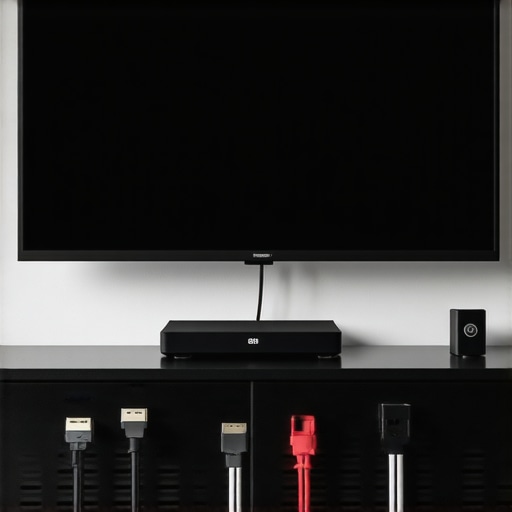
HDMI 2.1 Cables & Surge Protectors: Best Home Theater Enhancements
Ever had that sinking feeling when your 4K movie suddenly stutters or your sound cuts out just as the action heats up? I remember the exact moment I realized my home theater setup was letting me down. It was a Saturday night, the room dim, popcorn ready, and my expensive new projector flickered before going dark. Turns out, the culprit wasn’t the equipment but the cables and power setup I thought I had optimized. That lightbulb moment made me dig deeper—because I learned that the right HDMI 2.1 cables, combined with good surge protectors and power conditioners, can make all the difference in delivering that flawless cinematic experience I was craving.
Why Investing in Quality Cables and Protectors Matters for Your Home Theater
Our home theater systems are more than just gadgets; they are investments in entertainment and relaxation. But often, we overlook the tiny details—like the cables we use or the safety measures we put in place. I used to think all HDMI cables were created equal until I discovered that cheap, generic cords could bottleneck high-resolution signals, causing lag or poor picture quality. Similarly, power surges or unstable electricity can damage delicate electronics, leading to costly repairs or replacements. That’s why I now swear by premium HDMI 2.1 cables and robust surge protectors. They ensure my system runs smoothly and safely, preserving the quality and longevity of my investment.
According to a recent study by Consumer Reports, power surges are responsible for millions of dollars in electronic damages annually. Yet, many home users remain unprotected, risking their valuable equipment. I learned this the hard way early on, when a sudden lightning strike fried my AV receiver. Since then, I’ve prioritized safeguarding my setup with reliable surge protectors and power conditioners, which you can explore more in this comprehensive guide.
Have You Faced This Problem? If So, You’re Not Alone
Did your old cables or lack of protection cause a frustrating night? If so, you’re in good company. Many enthusiasts overlook these essentials until a problem arises. But here’s the good news: upgrading your cables and adding surge protection is easier and more affordable than you might think. Next, I’ll share practical tips to help you choose the best HDMI 2.1 cables, speaker wires, banana plugs, and surge protectors to elevate your home theater experience in 2024.
Choosing the Right HDMI 2.1 Cables for Your System
Start by assessing your setup requirements. I once bought a cheap HDMI cable without checking specifications, which caused intermittent signal loss. To avoid this, opt for certified HDMI 2.1 cables designed for high bandwidth. Look for cables with a bandwidth of at least 48Gbps, supporting 4K at 120Hz or 8K signals. When I replaced my old cable with a high-quality one, the difference was night and day—crisp picture, no lag, and reliable performance. Make sure to measure your distance accurately and choose cables with appropriate length and shielding to prevent interference.
How to Install HDMI Cables Properly
Connect the HDMI cable securely to the source device and display, ensuring firm plugs. Avoid bending or twisting the cable sharply, as this can impair signal quality. Use cable management clips or conduits to keep cables organized and prevent accidental disconnections. During my upgrade, I used velcro straps to tidy up the cables, which made future troubleshooting easier. For added protection, consider using a surge-protected HDMI cable to guard against power surges.
Installing Speaker Wires and Banana Plugs
High-quality speaker wires are essential for clear audio. Instead of generic wires, choose thicker gauge cables (like 14 or 12 AWG) for longer runs. I once used thin wires for my surround speakers, which resulted in weak sound. Upgrading to thicker wires and employing banana plugs made a noticeable difference—crisp, powerful sound without static. To install, strip the wire ends carefully, insert into the banana plug, and screw tightly. Connect the plugs to the corresponding terminals on your amplifier and speakers, ensuring polarity (+ to +, – to -). Properly grounding and avoiding tangled cables prevents interference and signal loss.
Secure Power with Surge Protectors and Power Conditioners
Protect your investment from power surges by installing a high-quality surge protector. I learned this lesson the hard way when lightning struck nearby, frying my receiver. Use a surge protector rated for AV equipment and connect all critical devices to it. For additional stability and cleaner power, add a power conditioner. These devices filter electrical noise, prolonging your equipment’s lifespan and ensuring consistent performance. When I installed my power conditioner, I noticed a significant reduction in audio static and picture flicker, especially during thunderstorms.
Final Tips for a Reliable Setup
Always double-check connections, keep cables away from heat sources, and label each wire for easy troubleshooting. Regularly inspect your cables and replace any that show wear. Installing quality cables and protection is not just about immediate performance but safeguarding your entire home theater investment for years to come. Remember, every connection matters—skimping on cables or protection can lead to costly repairs. For comprehensive guidance, explore this detailed guide on optimizing your setup.
Many home theater enthusiasts believe they need the most expensive HDMI 2.1 cables or the thickest speaker wires to achieve optimal performance. However, these assumptions often lead us astray. For instance, a widespread myth suggests that thicker speaker wires always deliver better sound quality. In reality, wire gauge matters primarily for longer runs—beyond 50 feet, thicker gauge cables help reduce signal loss, but for typical home setups, 14 or 12 AWG wires are more than sufficient. Over-spending on ultra-thick wires can be unnecessary, and sometimes, poorly terminated high-gauge cables cause more noise than thinner, well-installed wires. To learn more about selecting the right speaker wire for your setup, check out this guide.
Another common misconception involves HDMI 2.1 cables. Many assume that all cables labeled “HDMI 2.1” are created equal. In fact, the quality of internal shielding, manufacturing standards, and certification matter more than the label. Cheaper cables often fail to support the full 48Gbps bandwidth required for 4K at 120Hz or 8K content, leading to flickering or lag. Opting for certified, well-reviewed cables ensures you get the performance you pay for. For a detailed analysis, visit this resource.
When it comes to surge protectors and power conditioners, many assume that just plugging everything into a basic surge protector is enough. But this can be a costly mistake. Not all surge protectors are created equal; cheaper models often lack the joule rating needed to withstand a severe surge, or they may have inadequate clamping voltage, leaving your equipment vulnerable. High-quality surge protectors with a high joule rating and proper clamping voltage are crucial to protect sensitive electronics. Moreover, power conditioners do more than just surge protection—they filter electrical noise, which can significantly improve audio and video clarity. For advanced users, understanding the nuances of power protection can prevent costly repairs. Explore this guide for insights into selecting the best equipment.
Why Do Many Overlook Power Quality and Its Impact on Home Theater Performance?
While many focus on cables and connections, the underlying electrical environment often gets neglected. Fluctuations in power supply and electromagnetic interference can cause subtle yet noticeable degradation in picture and sound quality. Using a high-quality power conditioner not only safeguards your devices but can also enhance the overall experience by reducing static, flicker, and audio noise. Interestingly, a study by the Institute of Electrical and Electronics Engineers (IEEE) highlights how noise filtering improves signal integrity in high-definition systems, making this an essential consideration for serious enthusiasts. Have you ever fallen into this trap? Let me know in the comments.
In summary, understanding the nuances—such as the importance of proper cable certification, the significance of correct wire gauge, and the role of advanced power conditioning—can make a real difference in your setup. Don’t assume that the most expensive gear is always the best; instead, focus on quality, proper installation, and electrical safety. For comprehensive tips, visit this detailed guide.
Maintaining a high-performance home theater system requires more than just installing quality cables and surge protectors. Over time, wear and tear, dust, and electrical fluctuations can impact your setup’s reliability. That’s why I rely on specific tools and methods to keep everything running seamlessly. One essential device I recommend is a power conditioner. Not only does it filter electrical noise, but it also provides surge protection, extending the lifespan of your equipment. I personally use the power conditioner from this guide because of its excellent noise filtering and durability.
To monitor your cables’ integrity regularly, I suggest investing in a cable tester. A quality tester can identify internal faults that are invisible to the naked eye, preventing unexpected signal loss or damage. I use mine every six months, especially on HDMI and speaker wires, to ensure optimal performance. When inspecting cables, don’t forget to examine connectors for corrosion or looseness—these small issues can cause big disruptions.
Cleaning your cables and connectors with a soft, lint-free cloth and contact cleaner like isopropyl alcohol can prevent oxidation, which degrades signal quality over time. I do this quarterly, focusing on all connection points, including banana plugs and HDMI ends. This routine keeps connections crisp and free of static or flickering issues.
How do I maintain my setup over time?
Consistency is key. Schedule regular inspections and cleaning, and replace worn cables before they cause problems. Consider using a high-quality surge protector that can handle the power load of your system and has a high joule rating for maximum protection. As technology advances, upgrading to newer, shielded cables and more efficient power conditioners will ensure your system remains future-proof. I predict that in the coming years, smart monitoring devices integrated with your system will alert you to potential issues before they escalate, so investing in such tools now could save you time and money later.
For ongoing peace of mind, I also recommend keeping an organized cable management system. Using cable clips, labels, and conduits helps prevent accidental disconnections and makes troubleshooting faster. Remember, the key to long-term performance isn’t just initial setup but consistent maintenance and proactive upgrades. Try incorporating a cable tester into your routine to identify potential issues early; it’s a simple step that pays off in the longevity of your home theater system.
The Hardest Lesson I Learned About HDMI Cables and Power Safety
- Initially, I believed that investing in the most expensive HDMI 2.1 cable guaranteed perfect performance. But I quickly realized that quality certification and shielding matter more than price. A cheap but certified cable can outperform a costly one with poor construction, saving me money and frustration.
- My biggest lightbulb moment was understanding that power surges are silent killers. After frying my AV receiver during a storm, I learned that high-joule surge protectors and power conditioners are essential. This realization transformed my approach from reactive to proactive, ensuring my equipment’s safety in unpredictable weather.
- Installing banana plugs and proper wiring techniques isn’t just about aesthetics; it profoundly impacts sound clarity and system longevity. Using thicker gauge wires for longer runs and securing connections prevented static and loss of signal, which I had previously blamed on my equipment.
- Regular maintenance, like inspecting and cleaning cables with isopropyl alcohol, keeps signals crisp and prevents corrosion. These small habits extend the lifespan of my setup and maintain high-quality performance over time.
My Essential Toolkit for Optimal Home Theater Performance
- Certified HDMI 2.1 cables to ensure high bandwidth and reliable signal transfer. I trust this resource for selecting cables that support 8K and 4K at high refresh rates.
- High-rated surge protectors and power conditioners to shield my equipment from electrical surges and noise. This investment paid off during a recent thunderstorm when I saw no flickering or static.
- Quality speaker wires and banana plugs for clear audio and secure connections. Proper wiring techniques have made my surround sound immersive and static-free.
- Tools like a cable tester help me identify faults early, preventing costly repairs and ensuring consistent performance.
Harness Your Home Theater Potential and Stay Ahead in 2024
Building a dependable home theater isn’t just about buying top-tier gadgets; it’s about understanding the nuances of proper installation, electrical safety, and maintenance. Stay curious, keep learning from trusted sources, and don’t overlook the small details that safeguard your investment. As technology evolves, so will the tools and techniques to enhance your experience—embrace them!
What’s the biggest challenge you’ve faced while upgrading your home theater system? Share your story below and let’s learn together!
About the Author




![Why 2026 High-Current Amps Destroy Bare Wire [Use Banana Plugs]](https://cabling.homeavreviewhub.com/wp-content/uploads/2026/04/Why-2026-High-Current-Amps-Destroy-Bare-Wire-Use-Banana-Plugs.jpeg)

![Why Banana Plugs Beat Bare Wire for 2026 High-Current Amps [Data]](https://cabling.homeavreviewhub.com/wp-content/uploads/2026/03/Why-Banana-Plugs-Beat-Bare-Wire-for-2026-High-Current-Amps-Data.jpeg)