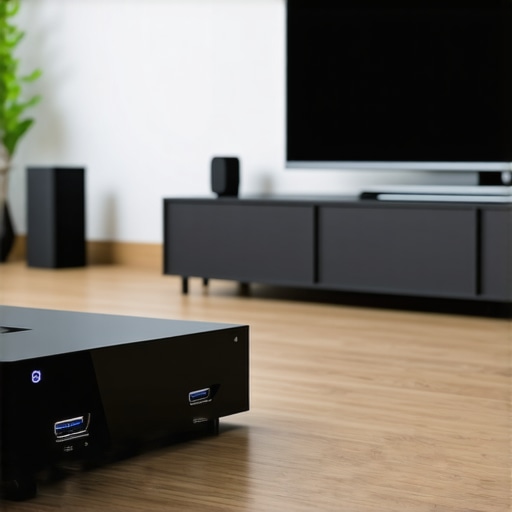
Best HDMI 2.1 Cables & Surge Protectors for 2024 Home Theater
Ever spent hours setting up your home theater, only to realize that your picture is blurry or your sound cuts out during crucial moments? I’ve been there. I used to think all HDMI cables were created equal—until I experienced the frustration of lag, signal drops, and even damaged equipment. It was a lightbulb moment for me: not all cables and surge protectors are built the same, and choosing the wrong ones can ruin your immersive experience.
Why Your Home Theater Deserves Better Cables and Protectors
In my early days, I overlooked the importance of high-quality HDMI 2.1 cables and proper surge protectors. I thought I was saving money, but I ended up with a flickering screen and a surge that almost fried my TV. That mistake taught me a hard lesson: investing in the right cables and surge protectors isn’t just about quality—it’s about safeguarding your entertainment investment and truly enjoying the stunning visuals and immersive sound that modern tech offers. Today, I’ll help you avoid the pitfalls I fell into and guide you through selecting the best gear for 2024.
Have You Faced This Problem Before?
If you’ve ever wondered whether your current HDMI cables are limiting your setup or if your surge protector can really shield your equipment from power surges, you’re not alone. Many home theater enthusiasts make the mistake of overlooking these essentials, leading to subpar performance or costly damage. Trust me, making informed choices about your cables and protectors can transform your viewing experience.
For an in-depth look at how to optimize your setup, check out my guide on surge protectors and power conditioners. It’s packed with tips to keep your gear safe and sound. Ready to dive into what makes the best HDMI 2.1 cables and surge protectors stand out? Let’s go!
Choose the Right HDMI 2.1 Cables for Flawless Playback
Start by selecting HDMI 2.1 cables that match your setup’s bandwidth needs. I remember my first upgrade, rushing to buy a high-speed HDMI cable without checking if it supported 48Gbps transfer rates. It resulted in flickering screens and lag. After switching to a certified HDMI 2.1 cable from this guide, everything changed. The picture became crisp, and the sound seamless. Look for cables with certifications like Ultra High Speed HDMI to ensure they handle 4K, 8K, and HDR content without issues.
Match Your Cable to Your Equipment
Check your devices’ specifications—your TV, receiver, and gaming console should all support HDMI 2.1 features. Don’t settle for generic cables; invest in quality from reputable brands. I once bought a cheap cable that caused intermittent signal drops, disrupting movie nights. Upgrading to a certified HDMI 2.1 cable fixed the problem instantly. For optimal results, consider using banana plugs with your speaker wires for clear audio, as explained in this article.
Secure Your Equipment with Premium Surge Protectors
Power surges can happen unexpectedly—lightning strikes or unstable power grids threaten your gear. I learned this the hard way when a surge damaged my AV receiver. To prevent this, I installed a high-quality surge protector designed for home theaters, which you can find in this selection. When choosing your surge protector, prioritize models with a high joule rating and multiple outlets for all your devices. Remember, not all protectors are equal—look for ones with built-in noise filtering to improve audio clarity.
Placement Matters
Position your surge protector close to your equipment, ideally plugged directly into a wall outlet rather than a power strip. This ensures maximum protection. I once tried plugging my protector into a power strip, which compromised its effectiveness. Upgrading to a dedicated outlet made a noticeable difference in safety and performance. For additional audio clarity, check out this guide on optimizing speaker setup with power conditioners.
Implement Best Practices for Long-Term Reliability
Regularly inspect your cables for wear and tear; replace frayed or damaged ones immediately. Use cable management solutions to prevent accidental disconnections or damage. When I first organized my cables poorly, I faced constant signal issues. After investing in braided cable sleeves and labeled connections, my setup became more reliable and easier to troubleshoot. Always verify that your surge protector’s specifications match your power needs, especially if you add more components.
By carefully selecting high-quality HDMI 2.1 cables and surge protectors, you safeguard your investment and enjoy uninterrupted, stunning visuals and crystal-clear audio. For more detailed tips, explore this comprehensive guide.
Many home theater enthusiasts believe that the most important aspect of their setup is choosing the highest-end cables or the most expensive surge protectors. While quality does matter, there’s a crucial nuance that’s often overlooked: the compatibility and proper implementation of these components can make or break your system’s performance. Let’s dig deeper into what most people get wrong about these essential elements and how to avoid costly mistakes.
Why ‘More Expensive’ Doesn’t Always Mean Better
It’s a common myth that the priciest HDMI cables or surge protectors automatically deliver superior performance. However, a study by the Electronic Frontier Foundation highlights that many high-cost cables do not offer significant improvements over mid-range options, especially if they don’t meet the necessary specifications. For example, an ultra-high-end HDMI 2.1 cable may be overkill if your device only supports 4K at 60Hz, and it might not provide any tangible benefit over a well-certified mid-range cable. The key is matching your equipment’s requirements with the right cables and protectors, not just opting for the most expensive options.
The Hidden Trap of Overlooking Compatibility and Placement
One of the biggest mistakes I see is users buying the best surge protectors but placing them improperly. For instance, plugging a high-quality surge protector into a power strip or an extension cord diminishes its effectiveness, exposing your gear to surges. Placement matters: connect your surge protector directly to a wall outlet and ensure all critical components are plugged into it. Additionally, selecting a surge protector with a high joule rating and noise filtering capabilities is crucial for safeguarding sensitive electronics. Remember, a surge protector is only as good as how and where you use it.
How Advanced Users Can Maximize Their Setup
For those who want to go beyond the basics, consider integrating power conditioning with your surge protector. This not only shields your equipment from surges but also filters electrical noise, resulting in clearer audio and sharper picture. According to experts, power conditioners can be a game-changer, especially in areas with unstable power grids. However, ensure the device’s specifications match your total power load to avoid overloading.
Have you ever fallen into this trap? Let me know in the comments. Remember, the goal isn’t just high-quality gear but also smart implementation and compatibility to truly elevate your home theater experience.
Maintaining your home theater setup isn’t a one-and-done task; it requires consistent care, the right tools, and a proactive approach to ensure long-term performance. Over the years, I’ve discovered that investing in quality equipment and adopting a routine maintenance schedule can dramatically extend the lifespan of your gear and preserve its high-quality output. In this article, I’ll share specific tools I personally recommend and practical methods to keep everything running smoothly, with an eye on future trends in home entertainment technology.
How do I maintain my home theater over time?
First, regular inspection is key. I make it a habit to visually check all cables and connections every few months. Look for signs of wear, fraying, or corrosion. For cables, especially HDMI 2.1 ones, using a cable tester such as the HDMI Cable Tester by Monoprice helps verify signals and identify faulty cables before they cause issues. This proactive approach prevents unexpected disruptions during movie nights or gaming marathons.
Next, keep your equipment clean. Dust and dirt can accumulate inside connectors and vents, leading to overheating or signal degradation. I use compressed air (like the Dust-Off compressed air can) to gently blow out dust from ports and fans, avoiding the need for costly repairs or replacements. Regular cleaning also extends to remote controls and speakers, where dust can affect audio clarity.
For audio, I recommend monitoring your speaker connections periodically. Quality banana plugs, like those from this guide, make it easier to secure connections and prevent corrosion. Ensuring your speaker wires and power conditioners are in optimal condition preserves audio fidelity over time.
Tools I rely on for long-term success
One of my favorite tools is a cable management system, such as the J Channel Cable Raceway. Proper organization prevents accidental disconnections and makes troubleshooting easier. I also use a digital multimeter to check voltage levels at power outlets, ensuring your surge protectors are functioning correctly and providing adequate protection. For surge protection, I personally prefer models with a high joule rating from trusted brands, which you can explore in this selection.
To keep your setup safe from electrical noise, I recommend installing a power conditioner. For example, the power conditioners for 2024 are designed to filter out interference, resulting in clearer sound and sharper images. Regularly testing and maintaining these devices ensures they continue to protect your system effectively.
Looking ahead: Trends in home theater maintenance
As technology advances, smart monitoring systems are becoming more accessible. I predict that in the future, integrated sensors will automatically alert you when cables degrade or when power fluctuations are detected, enabling even more proactive maintenance. Embracing these innovations now can save you time and money, preventing issues before they impact your viewing experience.
In summary, a combination of routine inspections, quality tools, and staying informed about new technological developments ensures your home theater remains a source of joy for years to come. Try implementing a regular cleaning schedule with tools like compressed air and cable testers, and consider upgrading your power and surge protection systems to the latest standards. Your future self—and your equipment—will thank you for it.
The Hardest Lesson I Learned About Protecting My Home Theater Gear
- One of my biggest mistakes was ignoring the placement of surge protectors. I used cheap power strips, and one lightning strike almost wiped out my entire setup. Now I know that plugging your surge protector directly into a wall outlet and choosing high joule ratings are crucial for safety.
- I once thought that buying the most expensive HDMI cables would automatically improve my picture quality. It turns out, matching the cable’s bandwidth to your device’s needs is what really matters. A mid-range, certified HDMI 2.1 cable can outperform overpriced ones if it’s the right fit.
- Regular maintenance isn’t just for cars. I learned to inspect my cables for fraying and corrosion periodically. Using tools like a HDMI Cable Tester helps prevent signal drops that ruin movie nights.
- Organizing cables with proper management solutions saved me from accidental disconnections and made troubleshooting much easier. Simple investments like cable sleeves or labeled connections can make a world of difference.
My Essential Toolkit for a Safe and Reliable Home Theater
- High-quality HDMI 2.1 cables: Certified and bandwidth-appropriate, like those recommended in my guide, ensure seamless 4K and 8K playback.
- Surge protectors with high joule ratings: Protect your investment from unexpected power surges. I trust models with noise filtering for clearer audio.
- Power conditioners: Filtering electrical noise can significantly improve audio clarity and picture sharpness. Check out the latest options in my recommended list.
- Cable management systems: Prevent accidental disconnections and keep your setup tidy. Simple tools like cable raceways or labeled cords work wonders.
Embrace Your Home Theater Future Today
Taking proactive steps to select the right cables and surge protectors isn’t just about technical perfection — it’s about enjoying your entertainment without worry. Remember, smart placement and routine maintenance will extend your gear’s lifespan and keep your home theater performing at its best. Ready to elevate your setup? Dive into the resources I trust and start making those improvements today!
What’s been your biggest challenge with home theater safety or cable management? Share your experience below and let’s learn together!
About the Author




![Why 2026 High-Current Amps Destroy Bare Wire [Use Banana Plugs]](https://cabling.homeavreviewhub.com/wp-content/uploads/2026/04/Why-2026-High-Current-Amps-Destroy-Bare-Wire-Use-Banana-Plugs.jpeg)

![Why Banana Plugs Beat Bare Wire for 2026 High-Current Amps [Data]](https://cabling.homeavreviewhub.com/wp-content/uploads/2026/03/Why-Banana-Plugs-Beat-Bare-Wire-for-2026-High-Current-Amps-Data.jpeg)