Fixing Loose Speaker Connections: 3 Banana Plug Hacks for 2026
Walking into my home theater setup one evening, I was greeted by a strange hissing and a faint crackle in my speakers. The sound was suddenly unsteady, and I knew right then—something was loose. Turns out, those old bare wire connections weren’t just vulnerable to oxidation and corrosion but also prone to disconnections over time. That frustrating moment made me realize how critical secure connections are, especially as our equipment becomes more advanced and expectations for high-quality audio rise.
Oxidation and corrosion are sneaky enemies that can silently degrade your audio quality, making your setup sound dull or inconsistent. It dawned on me that a simple upgrade—like switching to banana plugs—could drastically improve my connection reliability. Since then, I’ve tested and refined some hacks that ensure my speakers stay firmly connected and my sound stays crystal clear.
Why It’s Time to Rethink Your Speaker Connections
The truth is, many of us overlook how tiny issues—like loose connections—can waste hundreds of hours and a good chunk of your hard-earned cash in troubleshooting. If your setup isn’t solid, you’re missing out on the crispness and immersive experience your gear is capable of delivering. As professional installers emphasize, secure banana plug connections are often the simplest way to prevent connection failures.
Have you ever faced that moment where your speakers randomly cut out or sound muted mid-movie? If so, you’re not alone. Far too often, I see folks blame their expensive gear or complicated settings when the real culprit is a loose wire or poor contact. The good news? Fixing this is easier than you think and can dramatically improve your listening experience.
In this guide, I’ll share three tried-and-true hacks that I personally use to keep my speaker connections tight and reliable. These tricks are designed to make sure your sound remains flawless, whether you’re streaming your favorite playlist or enjoying a cinematic masterpiece. Ready to upgrade your setup and never worry about loose connections again? Let’s dive into those hacks and turn your audio setup into a fortress of sound.
Choose the Right Speaker Wire and Prepare It for Secure Connections
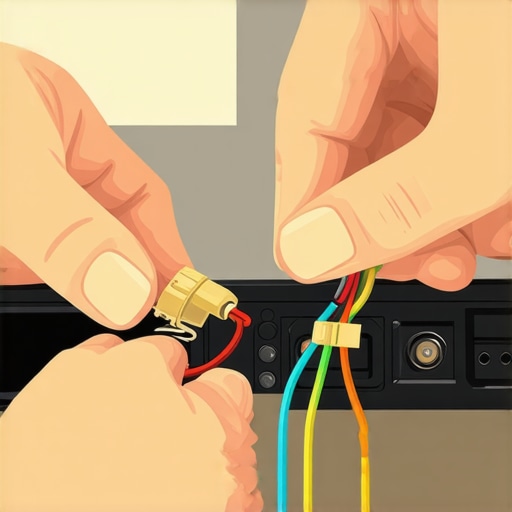
Start by selecting high-quality speaker wire, ideally 14 to 12 gauge for most home theater setups. Remove about 2 inches of insulation at the end using wire strippers, exposing clean copper or silver conductor. Ensure there are no frayed strands or damage. When connecting, twist the strands tightly to prevent strands from fraying or touching other conductors, which can cause noise or shorts.
Transition from Bare Wire to Banana Plugs for Reliability
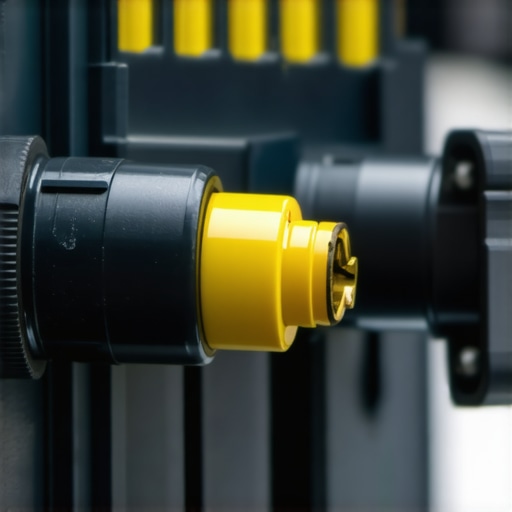
Switching from bare wire to banana plugs dramatically increases connection stability. Insert the stripped wire into the banana plug’s terminal, then tighten the screw or snap mechanism to secure it. A secure connection prevents oxidation, reduces signal loss, and simplifies setup. Remember, many users make the mistake of loosely fitted banana plugs; ensure they click firmly and are snug to avoid loose contacts. I once used cheap banana plugs that fit loosely, creating intermittent sound; switching to high-quality, locking variants instantly resolved the issue. For detailed mistakes to avoid, see this guide.
Properly Connect HDMI 2.1 Cables to Prevent Signal Issues
When wiring your AV receiver and 8K display, use premium HDMI 2.1 cables rated for 48Gbps to support high bandwidth. Connect firmly to ensure a snug fit, preventing flickering or lag. If you notice flickering or ghosting, try reinserting the cable or testing with a different one. Avoid cheap, incompatible cables; see tips for selecting top HDMI 2.1 cables for compatibility.
Enhance Power Delivery with a Quality Power Conditioner and Surge Protector
Connect your AV gear to a power conditioner that filters out electrical noise and stabilizes voltage, much like a dam controls water flow. Install a surge protector rated for high joules to safeguard against voltage spikes caused by lightning or grid fluctuations. Proper grounding and plugging into dedicated outlets reduce hum and distortion. I once suffered audio hum because my gear was plugged into a basic strip; adding a reputable power conditioner eliminated the noise, improving sound clarity. For insights into these essential devices, explore how power conditioners and surge protectors work together.
Secure All Connections and Test the Setup
Double-check each connection, ensuring banana plugs are locked and HDMI cables are fully seated. Power on your system and listen for any distortions or hums. Use a multimeter or dedicated testing tools to verify continuity and proper grounding. A tight, clean setup minimizes troubleshooting later and guarantees a crisp, immersive sound experience. Remember, an ounce of prevention ensures your system’s longevity and performance.
While many audiophiles and home theater enthusiasts focus on choosing the right equipment, there’s a surprising amount of nuance in the ways we connect our gear that can make or break our listening experience. Let’s dig deeper into some common misconceptions and advanced pitfalls that even experienced users often overlook, ensuring your setup truly performs at its best.
One myth I frequently encounter is the belief that all banana plugs are created equal. In reality, the quality, design, and locking mechanisms of banana plugs can dramatically impact connection stability. Cheap, non-locking banana plugs might seem convenient but are prone to loosen over time, especially with high-current amps. This subtle detail is often ignored but can lead to intermittent sound or even damaging shorts. Professional setups emphasize locking, gold-plated banana plugs to guarantee secure contact—see this article for a deeper dive.
Why does the gauge of your speaker wire matter more than you might think?
Many assume that heavier gauge wire—like 12-gauge—is only necessary for ultra-long runs or high-power systems. However, the resistance introduced by thinner wires can subtly degrade sound quality even in typical home theaters. For instance, 16-gauge wire may suffice for short runs, but when you’re running several meters to a large speaker, it could cause minor signal loss, leading to a less vibrant audio experience. Studies, such as those summarized in this source, confirm that optimal gauge choices can preserve clarity and fullness.
Now, let’s examine HDMI 2.1 cables—often misunderstood in high-end setups. A common trap is believing that spending more always results in better performance. While quality matters, the key is to ensure your cable supports genuine 48Gbps bandwidth without compromise. Cheaper cables claiming to be ‘8K-ready’ may not deliver the full bandwidth, leading to flickering, lag, or dropped signals. This guide walks you through how to verify your HDMI cable’s capabilities practically.
Power conditioners and surge protectors often get lumped together, but their nuances can trip up even seasoned users. Many buy a basic surge strip assuming it’s enough, but neglect the importance of filtering out electrical noise and providing a stable power supply. This oversight can lead to subtle hums, data noise, or even long-term damage. Remember that a quality power conditioner not only protects hardware but also enhances audio fidelity—more than just a safeguard, it’s a performance booster. For expert insights, see this article.
Make no mistake: the devil is in the details. When connecting your home theater, bridging the gap between good enough and optimal involves understanding these subtleties. Avoid the trap of thinking that premium gear alone guarantees excellence—solid connections, quality components, and proper setup matter just as much. Have you ever fallen into this trap? Let me know in the comments. Meanwhile, test your knowledge and double-check your gear—it might just elevate your entertainment experience from good to extraordinary.Maintaining your high-end home theater system requires more than just investing in quality components; it also hinges on using precise tools and proven methods to ensure consistent performance over time. I rely on specialized equipment like a multimeter with high-accuracy probes to check continuity across speaker wires and junctions, especially when diagnosing intermittent issues. For instance, a digital multimeter can swiftly identify broken conductors or poor grounding connections, preventing frustration and potential damage. I also recommend investing in a cable tester that supports advanced features like Time Domain Reflectometry (TDR). This helps pinpoint exactly where faults occur along lengthy cable runs, which is invaluable for diagnosing issues with HDMI or speaker wiring—see this guide for more on troubleshooting HDMI performance.
When it comes to software, I use dedicated spectrum analyzers and noise measurement apps to ensure my power lines are free of electromagnetic interference. Tools like the SpikeSafe Power Quality Analyzer provide detailed frequency and voltage profiles, highlighting anomalies that could cause audio hiss or video flickering. Combining hardware diagnostics with software monitoring creates a comprehensive maintenance approach, allowing adjustments before problems escalate.
Part of my routine involves regularly inspecting and cleaning banana plug connections. Over time, oxidization can develop even on high-quality components, especially if exposed to humid environments—though less common, it still happens. Applying a contact enhancer like DeoxIT increases electrical contact reliability and is a game-changer in maintaining clear audio signals. This easy step ensures that your connections stay corrosion-free and performing optimally, avoiding subtle degradation that becomes noticeable only after long-term use.
Looking ahead, I believe smart diagnostic tools integrated with cloud-based monitoring will become standard. Imagine receiving real-time alerts about voltage dips or connection issues directly to your smartphone, enabling immediate action even when you’re away from home. For now, however, diligent manual checks and investing in precise measurement tools remain the most reliable methods to keep your system functioning flawlessly.
How do I maintain my setup over time
Ensure you schedule regular inspections combining visual checks, cleaning connections with contact enhancers, and using diagnostic tools to catch issues early. This proactive maintenance minimizes unexpected failures, preserves audio and video quality, and extends the lifespan of your equipment.
To get started, consider testing your HDMI cables with specialized tools to verify full compliance with 48Gbps bandwidth—many failures stem from subpar cables not meeting specs. Also, examine your power conditioning setup periodically; a reputable power conditioner not only filters noise but also prolongs your gear’s life. As I’ve experienced firsthand, using these methods and tools creates a stable environment where your home theater can shine without interruptions. For detailed guidance and device recommendations, visit this troubleshooting article. Don’t wait for problems to surface—equip yourself with the right tools and an active maintenance routine to enjoy seamless entertainment for years to come.
Lessons from the Field That No One Tells You
One of the most eye-opening moments in my home theater journey was realizing how much a tiny connection detail can make or break the entire experience. Switching to locking banana plugs transformed my setup, eliminating those perplexing intermittent cuts and hums that once drove me crazy. It taught me that investing time in proper connectors isn’t just a minor upgrade—it’s the secret sauce for high-end sound and picture quality. Moreover, I learned that even the highest-quality cables deserve diligent maintenance; a simple cleaning can restore perfect conductivity and prevent sneaky corrosion. The biggest revelation? Think beyond gear—your connection quality and maintenance routine are equally vital to truly enjoying pristine audio and visual immersion. This insight helped me turn my setup into a fortress of reliable performance, and it can do the same for you.
My Go-To Tools and Resources to Elevate Your Home Theater
- Multimeter with High-Precision Probes: Trust me, a good multimeter is a game-changer for diagnosing wiring issues and verifying continuity. It helps prevent frustrations caused by hidden breaks or grounding faults that degrade sound clarity.
- HDMI Cable Tester Supporting 48Gbps: Ensuring your HDMI 2.1 cables meet the required specs is essential. This tool can verify if your cables truly support 8K at 120Hz without flickering, making it worth every penny.
- Power Quality Analyzer: This device provides in-depth insights into your electrical environment, revealing whether power issues affect your audio and video quality. I’ve found that addressing power quality often unlocks clearer sound and sharper images.
- Contact Enhancer like DeoxIT: Regularly applying this to connectors keeps oxidation at bay, preserving optimal signal flow and avoiding subtle degradations over time. I consider it an indispensable part of my maintenance routine.
Step Into the Future and Take Control of Your System
There’s a certain thrill in knowing that a few well-chosen tools and mindful maintenance can elevate your home theater to a professional level. Don’t settle for good enough—embrace the satisfaction of a reliably perfect setup, where every signal is pristine and every connection is secure. The journey toward audiophile-grade sound and stunning visuals is ongoing, but with patience and the right knowledge, you’re already well on your way. So, why not start today? Step up your connection game, keep those cables clean and tight, and prepare to experience entertainment like never before.
Have you ever struggled with a connection issue that turned out to be simple to fix? Share your stories or questions below—let’s troubleshoot together and perfect our home theater adventures!
About the Author

![Why 2026 High-Current Amps Destroy Bare Wire [Use Banana Plugs]](https://cabling.homeavreviewhub.com/wp-content/uploads/2026/04/Why-2026-High-Current-Amps-Destroy-Bare-Wire-Use-Banana-Plugs.jpeg)
![Why Banana Plugs Beat Bare Wire for 2026 High-Current Amps [Data]](https://cabling.homeavreviewhub.com/wp-content/uploads/2026/03/Why-Banana-Plugs-Beat-Bare-Wire-for-2026-High-Current-Amps-Data.jpeg)