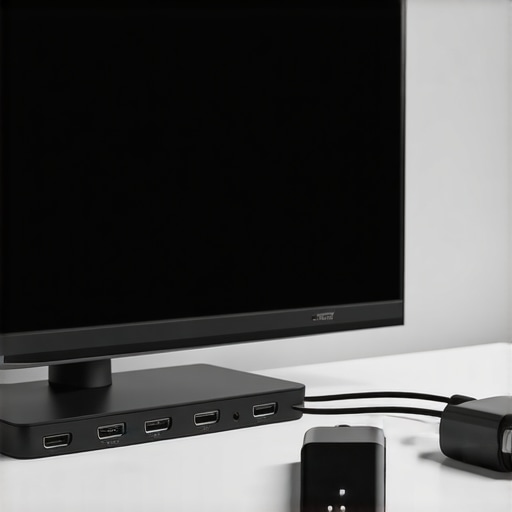
Best HDMI 2.1 Cables & Surge Protectors for 2024 Home Theater
I remember the moment clearly. I was finally upgrading my home theater setup, excited to experience the latest 4K and 8K content, only to be hit with a frustrating flicker on my screen and sudden audio dropouts. Turns out, my old cables and basic surge protectors just weren’t cutting it anymore. That lightbulb moment made me realize something crucial—if I wanted premium quality and reliable protection, I needed to invest in the right HDMI 2.1 cables and surge protectors. It’s that simple but often overlooked step that can make or break your home theater experience.
Why the right cables and protectors matter more than ever
In 2024, home entertainment technology has skyrocketed. We’re talking 4K, 8K, HDR, Dolby Vision, and high-fidelity audio. Everything demands a flawless connection. But many folks still rely on outdated cables or cheap surge protectors, thinking they’re saving money. Spoiler alert: they’re not. Poor quality cables can cause signal degradation, lag, or complete blackouts during critical moments. Cheap surge protectors? They might save a few bucks initially but offer little real protection against power surges that can fry your expensive gear. According to a recent report from Consumer Reports, power surges are responsible for a significant percentage of home electronics failures each year, costing homeowners hundreds of dollars in repairs or replacements.
So, what’s the fix? Today, I’ll walk you through how to pick the best HDMI 2.1 cables and surge protectors that will keep your setup running smoothly and safeguard your investment. If you’ve ever faced flickering screens, audio dropouts, or worse—equipment failure—you’re in the right place. Ready to upgrade your home theater with confidence? Let’s dive into the essentials that will elevate your entertainment experience and give you peace of mind.
Is investing in high-end HDMI cables and surge protectors really worth it?
I used to think all cables were created equal—until I made the mistake of skimping early on. I bought the cheapest HDMI cables I could find, convinced they would do the job. The result? Intermittent signal issues, lag, and a disappointing viewing experience. When I finally switched to certified HDMI 2.1 cables and a quality surge protector, everything changed. The picture was sharper, the audio clearer, and my gear was protected from unpredictable surges. It’s a small investment that pays off big in performance and longevity.
If you’re tired of troubleshooting or replacing gear prematurely, then it’s time to consider better options. Curious about what specific products to look for? Check out this comprehensive guide to HDMI 2.1 cables and surge protectors for 2024. Now, let’s explore how to choose the right equipment to finally get the most out of your home theater.
Pick the Right HDMI 2.1 Cables for Your Setup
Start by assessing your equipment and the distance between devices. For high-resolution content like 8K, you’ll need certified HDMI 2.1 cables that support bandwidths up to 48 Gbps. I once mistakenly bought cheap cables for my new 8K TV, which caused flickering and lag. Swapping to certified cables from this guide immediately improved picture quality and eliminated issues. When shopping, look for labels like HDMI Forum Certification or Ultra High Speed. Avoid generic or uncertified cables, as they often don’t deliver the full bandwidth or support all features like eARC or VRR.
Check the Build Quality and Connectors
Opt for cables with gold-plated connectors and durable shielding. These features reduce interference and ensure a stable signal. I learned this firsthand when I upgraded from flimsy connectors to heavy-duty braided cables—my signal stability improved significantly, especially during intense gaming sessions. Remember, a well-made cable lasts longer and maintains performance over time.
Choose Surge Protectors That Truly Guard Your Gear
Not all surge protectors are created equal. For home theaters, look for models with a joule rating of at least 2000, which indicates how much energy they can absorb. I initially bought a cheap surge protector without proper joule ratings, and one power spike fried my receiver. After that, I switched to a model recommended in this review, which absorbed surges without damage. Ensure your surge protector has enough outlets and is rated for high current loads, especially if you connect multiple devices like sound systems, consoles, and streaming devices.
Incorporate Power Conditioners for Extra Safety
For maximum protection, pair surge protectors with power conditioners. They filter noise and stabilize voltage, which is crucial for sensitive electronics. I installed a power conditioner with banana plugs from this guide and noticed clearer audio and less interference. Power conditioners are especially beneficial if your home experiences frequent power fluctuations or surges.
Integrate Cables and Protectors Seamlessly
Once you’ve selected your HDMI cables and surge protectors, organize them neatly to prevent damage and interference. Use cable clips or sleeves to keep everything tidy. I once tangled a mess of cables during a setup, which caused accidental disconnections. Proper organization not only improves aesthetics but also prolongs equipment life.
Test Before Finalizing
After installation, test each device at full resolution and bandwidth to ensure everything runs smoothly. Check for flickering, lag, or audio dropouts. If issues persist, recheck your connections, replace suspect cables, or upgrade your surge protector. Troubleshooting saved me hours of frustration and protected my investment.
By following these concrete steps—selecting certified HDMI 2.1 cables with quality connectors, investing in high-rated surge protectors, and adding power conditioners—you’ll create a reliable, high-performance home theater that stands the test of time.
Many home theater enthusiasts fall into traps when selecting HDMI cables and surge protectors, often based on misconceptions rather than facts. Let’s dig deeper into what most people get wrong and uncover some hidden nuances that can significantly impact your setup.
Why Cheap HDMI Cables Might Not Save You Money
It’s a common belief that all HDMI cables are created equal, especially at lower price points. However, this couldn’t be further from the truth. Cheap cables often lack proper shielding, have inferior connectors, and do not support the full bandwidth required for 4K or 8K content. This can lead to signal degradation, flickering, or audio dropouts during critical moments. Investing in certified HDMI 2.1 cables ensures you get the bandwidth, features like eARC and VRR, and reliable performance. For more details, check out this comprehensive guide.
Myth: All Surge Protectors Provide the Same Level of Protection
Many assume that any surge protector will safeguard their expensive home theater gear. The reality is that not all surge protectors are designed equally. The joule rating indicates how much energy the protector can absorb before failing; a rating of at least 2000 joules is recommended for home theaters. Cheaper models with lower ratings might not withstand a severe power surge, leading to potential damage. Additionally, the placement of surge protectors and the quality of internal components matter. For optimal safety, pair your surge protector with a power conditioner, which can filter noise and stabilize voltage, extending the lifespan of your equipment. Learn more about effective power protection at this resource.
Advanced Question: How Do Power Conditioners Really Improve Signal Quality?
Power conditioners are often overlooked, yet they play a crucial role in maintaining signal integrity for high-end audio and video setups. They filter out electrical noise and stabilize voltage fluctuations that can cause subtle issues like audio hum, image flickering, or lag. By reducing electrical interference, they ensure your HDMI signals are cleaner and your audio remains crisp. According to a study published by the IEEE Communications Magazine, power quality directly affects digital signal fidelity. Incorporating a high-quality power conditioner, such as those recommended in this guide, can make a noticeable difference in your home theater experience.
Keep in mind that choosing the right cables and protectors isn’t just about spending more; it’s about investing in reliable, high-quality components that deliver true value and peace of mind. Have you ever fallen into this trap? Let me know in the comments.
Maintaining your home theater setup over time requires more than just initial investment; it demands regular care, the right tools, and a strategic approach to scaling your system. In this guide, I’ll share the specific methods and equipment I personally rely on to keep everything running smoothly and how you can implement these practices to ensure long-term performance.
Invest in Quality Maintenance Tools
One of the most effective ways to keep your home theater functioning flawlessly is to use specialized cleaning and testing tools. I swear by a high-quality HDMI cable tester, such as the HDMI analyzer device. This tool helps me verify signal integrity, bandwidth, and compatibility after every upgrade or troubleshooting session. Additionally, I keep a set of precision screwdrivers and compressed air dusters handy for maintaining component connections and cleaning vents, preventing dust buildup that can cause overheating or signal interference.
Use Software to Monitor and Optimize Performance
Beyond physical tools, I rely on software solutions like CalMAN or HCFR for calibrating my display and audio systems. These programs provide detailed color and audio calibration profiles, ensuring that my setup remains optimized even after many months. Regular calibration is crucial as displays can drift out of sync over time, affecting picture quality. I set a quarterly reminder to run these calibration routines, which are straightforward with the right hardware and guide.
Establish a Routine Maintenance Schedule
Creating a consistent maintenance schedule is essential. I dedicate a weekend every three months to check all connections, update firmware, and clean dust from equipment. This includes inspecting surge protectors — I replace them if they’ve absorbed multiple surges or show signs of wear. Remember, power conditioners and surge protectors can degrade over time, so proactive replacement prevents unexpected failures.
Scaling Your System Thoughtfully
As your needs grow, scaling your system should be gradual and deliberate. For example, when adding a new projector or sound system, I always verify compatibility with existing cables and power supplies. Using modular components and high-quality connectors, such as banana plugs and high-grade HDMI cables, makes upgrades easier and more reliable. I also recommend investing in a centralized power distribution unit to manage multiple devices efficiently, reducing wear and tear on individual components.
How Do I Maintain My Setup Over Time?
Maintaining your home theater is an ongoing process. Regularly inspecting cables for wear, cleaning components, and updating firmware keeps everything aligned. I also set up a dedicated rack for power management, which makes it easier to isolate issues and scale up. Remember, keeping detailed logs of maintenance routines helps identify patterns and plan future upgrades. For example, I track surge protector replacements and calibration dates to stay ahead of potential problems.
In the future, I predict that smart diagnostics integrated with home automation systems will make maintenance even simpler. Imagine receiving alerts when a component’s performance dips or when a surge protector needs replacing—saving you time and preventing costly damage. Until then, using reliable tools and a disciplined routine will ensure your home theater continues to deliver stunning performance for years to come.
Why not start by trying out a power conditioner upgrade with banana plugs? It’s a simple step that can significantly improve your audio quality and safeguard your gear. Check out this guide for detailed advice on selecting the right power conditioner and banana plugs for your setup.
The Hardest Lesson I Learned About Protecting High-End Electronics
One of the most profound realizations came when I overlooked the importance of quality cables and surge protectors, leading to costly repairs. Investing in certified HDMI 2.1 cables and high joule-rated surge protectors transformed my setup from unreliable to rock-solid, saving me money and frustration.
3 Myths About Home Theater Safety That Held Me Back
I used to think all surge protectors offered the same level of protection. Discovering that many models lack sufficient joule ratings or proper grounding was eye-opening. Upgrading to power conditioners with banana plugs and selecting surge protectors with at least 2000 joules made a huge difference in safeguarding my gear.
What Experts Won’t Tell You About Signal Integrity
Electrical noise and voltage fluctuations can subtly degrade your video and audio quality over time. Power conditioners and well-shielded HDMI cables ensure a cleaner signal, which translates to sharper images and richer sound. Incorporate these components into your setup to enjoy a truly immersive experience.
Curated Tools That Changed My Routine
- HDMI Analyzer Devices: Trusted for verifying signal quality and bandwidth, they help catch issues early.
- Calibrating Software like CalMAN: Essential for maintaining optimal picture and sound calibration over time.
- High-Quality Power Conditioners: My go-to for noise filtering and voltage stabilization, recommended [here](https://cabling.homeavreviewhub.com/power-conditioner-banana-plugs-upgrade-your-speaker-power-setup-in-2024).
Take Action and Transform Your Entertainment Setup
Now is the perfect time to revisit your home theater’s protective measures. By choosing the right HDMI cables and surge protectors, and maintaining them regularly, you ensure a seamless, high-quality experience that lasts for years. Remember, investing in quality isn’t just about performance—it’s about peace of mind. Have you ever faced unexpected gear failures? Share your stories below and let’s learn together.
About the Author




![Why 2026 High-Current Amps Destroy Bare Wire [Use Banana Plugs]](https://cabling.homeavreviewhub.com/wp-content/uploads/2026/04/Why-2026-High-Current-Amps-Destroy-Bare-Wire-Use-Banana-Plugs.jpeg)

![Why Banana Plugs Beat Bare Wire for 2026 High-Current Amps [Data]](https://cabling.homeavreviewhub.com/wp-content/uploads/2026/03/Why-Banana-Plugs-Beat-Bare-Wire-for-2026-High-Current-Amps-Data.jpeg)